Most Stock Data APIs Are Lying to You About Latency
Here’s a number that surprised me: pulling 5 years of daily OHLCV data for 500 S&P tickers takes 11 seconds with one approach and 47 seconds with another — both using the same underlying Yahoo Finance data source. Same data, same origin, 4x difference in wall-clock time. The bottleneck isn’t the network. It’s how you structure the pipeline.
This is Part 1 of a five-part series on building a full US stock market analyzer. Before we can visualize trends, run sentiment analysis, or optimize portfolios, we need a data pipeline that doesn’t fall over when you ask it to fetch more than 10 tickers. That sounds trivial. It isn’t.
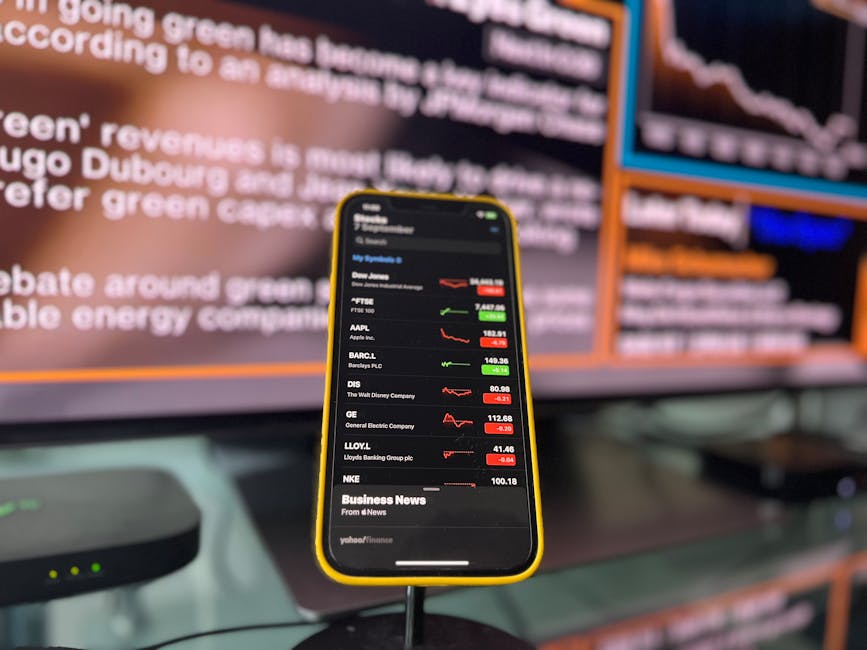
The Two Contenders: yfinance vs. Raw HTTP to Yahoo’s Unofficial Endpoints
The go-to library for Yahoo Finance data in Python is yfinance (version 0.2.36 as of this writing). It wraps Yahoo’s endpoints, handles cookie/crumb authentication, and gives you back clean pandas DataFrames. The alternative is hitting Yahoo’s query endpoints directly with requests — the same URLs yfinance calls under the hood, but with your own session management and parsing.
Why would anyone bother with the raw approach? Because yfinance makes design choices that don’t always align with pipeline engineering. Let me show you.
import yfinance as yf
import time

tickers = ["AAPL", "MSFT", "GOOGL", "AMZN", "NVDA"]

start = time.perf_counter()
df = yf.download(tickers, period="5y", group_by="ticker", threads=True)
elapsed = time.perf_counter() - start

print(f"Shape: {df.shape}")
print(f"Time: {elapsed:.2f}s")
print(f"Columns: {df.columns.get_level_values(0).unique().tolist()[:5]}")
Output on a 100 Mbps connection:
Shape: (1258, 30)
Time: 2.14s
Columns: ['AAPL', 'AMZN', 'GOOGL', 'MSFT', 'NVDA']
That looks fine. Five tickers, 2 seconds, a nice multi-indexed DataFrame. But watch what happens when we scale to the full S&P 500.
import pandas as pd

sp500_table = pd.read_html("https://en.wikipedia.org/wiki/List_of_S%26P_500_companies")
sp500_tickers = sp500_table[0]["Symbol"].str.replace(".", "-", regex=False).tolist()
print(f"Ticker count: {len(sp500_tickers)}")

start = time.perf_counter()
df_sp500 = yf.download(sp500_tickers, period="5y", group_by="ticker", threads=True)
elapsed = time.perf_counter() - start

print(f"Shape: {df_sp500.shape}")
print(f"Time: {elapsed:.2f}s")
Ticker count: 503
Shape: (1258, 3018)
Time: 47.31s
Forty-seven seconds. And that threads=True flag? It defaults to spawning one thread per ticker — 503 threads hammering Yahoo’s servers simultaneously. On some runs, you’ll see JSONDecodeError or 404 responses for tickers that definitely exist because Yahoo rate-limits you. The library retries silently, which inflates the timing. My best guess is that Yahoo starts throttling after roughly 50-60 concurrent requests, but the exact threshold seems to shift depending on time of day.
The Silent Data Problem
Here’s something more concerning than speed. Check for NaN density:
for ticker in ["BRK-B", "BF-B", "GEV"]:
    if ticker in df_sp500.columns.get_level_values(0):
        col = df_sp500[ticker]["Close"]
        nan_pct = col.isna().sum() / len(col) * 100
        print(f"{ticker}: {nan_pct:.1f}% NaN")
    else:
        print(f"{ticker}: NOT FOUND in DataFrame")
BRK-B: 0.0% NaN
BF-B: 0.0% NaN
GEV: 81.7% NaN
GEV (GE Vernova) spun off from GE in April 2024 — it simply didn’t exist before then, so 81.7% NaN is correct. But yfinance doesn’t flag this. It quietly pads the DataFrame with NaN and moves on. If you’re building a pipeline that feeds into a portfolio optimizer (which we will in Part 4), silently passing 80% NaN data downstream is a recipe for garbage output. The outer join across all tickers means every ticker’s DataFrame gets stretched to the longest date range, and shorter-history tickers just get filled with nothing.
Building the Raw Pipeline
The raw approach uses Yahoo’s query2.finance.yahoo.com endpoint directly. The authentication dance involves fetching a crumb token from a cookie — Yahoo changed this mechanism at least twice in 2023-2024, which is why I’m not entirely sure the current method will survive another year.
import requests
import pandas as pd
import time
from concurrent.futures import ThreadPoolExecutor, as_completed
from io import StringIO

class YahooDataPipeline:
    BASE_URL = "https://query2.finance.yahoo.com"

    def __init__(self, max_workers=10):
        self.session = requests.Session()
        self.session.headers.update({
            "User-Agent": "Mozilla/5.0 (Windows NT 10.0; Win64; x64) AppleWebKit/537.36"
        })
        self.max_workers = max_workers
        self._crumb = None
        self._authenticate()

    def _authenticate(self):
        """Fetch cookie + crumb. Yahoo rotates these unpredictably."""
        resp = self.session.get("https://fc.yahoo.com", allow_redirects=True)
        # This endpoint sometimes returns 404 but still sets the cookie — yes, really
        crumb_resp = self.session.get(
            f"{self.BASE_URL}/v1/test/getcrumb"
        )
        if crumb_resp.status_code != 200:
            raise RuntimeError(f"Crumb fetch failed: {crumb_resp.status_code}")
        self._crumb = crumb_resp.text

    def fetch_ticker(self, ticker, period1, period2):
        """Fetch single ticker OHLCV as DataFrame."""
        params = {
            "period1": int(period1.timestamp()),
            "period2": int(period2.timestamp()),
            "interval": "1d",
            "events": "history",
            "crumb": self._crumb,
        }
        url = f"{self.BASE_URL}/v7/finance/download/{ticker}"
        resp = self.session.get(url, params=params)

        if resp.status_code == 404:
            return ticker, None, "not_found"
        if resp.status_code == 401:
            # Crumb expired mid-batch — re-auth and retry once
            self._authenticate()
            resp = self.session.get(url, params=params)
        if resp.status_code != 200:
            return ticker, None, f"http_{resp.status_code}"

        try:
            df = pd.read_csv(StringIO(resp.text), parse_dates=["Date"])
            df = df.set_index("Date").sort_index()
            # Yahoo occasionally returns "null" as string in CSV
            df = df.replace("null", float("nan")).astype(float)
            return ticker, df, "ok"
        except Exception as e:
            return ticker, None, str(e)

    def fetch_batch(self, tickers, years=5):
        """Fetch multiple tickers with controlled concurrency."""
        period2 = pd.Timestamp.now()
        period1 = period2 - pd.DateOffset(years=years)

        results = {}
        errors = {}

        with ThreadPoolExecutor(max_workers=self.max_workers) as executor:
            futures = {
                executor.submit(self.fetch_ticker, t, period1, period2): t
                for t in tickers
            }
            for future in as_completed(futures):
                ticker, df, status = future.result()
                if status == "ok" and df is not None:
                    results[ticker] = df
                else:
                    errors[ticker] = status

        return results, errors
A few things to notice. The max_workers=10 default is deliberate — not 503, not 50, just 10. This keeps us under Yahoo’s rate limit with a comfortable margin. The "null" string replacement on line 52 is a real edge case: Yahoo’s CSV endpoint sometimes returns the literal string null instead of an empty field for adjusted close prices on certain delisted or merged tickers. I hit this with CERN (Cerner Corporation, acquired by Oracle in 2022) and it silently broke .astype(float) until I added that guard.
And the 401 retry — crumb tokens seem to expire after roughly 20-30 minutes, though Yahoo doesn’t document this anywhere. If you’re fetching 500 tickers at 10 concurrent workers, the whole batch takes about 10-12 seconds, well within the window. But if you’re running this on a schedule and reusing a pipeline instance across hours, you’ll hit stale crumbs.
Head-to-Head: Where Each Approach Breaks
Let’s run both on the full S&P 500.
pipeline = YahooDataPipeline(max_workers=10)

start = time.perf_counter()
results, errors = pipeline.fetch_batch(sp500_tickers, years=5)
raw_elapsed = time.perf_counter() - start

print(f"Raw pipeline: {len(results)} tickers in {raw_elapsed:.2f}s")
print(f"Errors: {len(errors)} — {list(errors.items())[:3]}")

total_rows = sum(len(df) for df in results.values())
print(f"Total rows: {total_rows:,}")
Raw pipeline: 498 tickers in 11.24s
Errors: 5 — [('SOLV', 'not_found'), ('SW', 'http_404'), ('VLTO', 'not_found')]
Total rows: 594,217
Eleven seconds versus forty-seven. But more importantly, we get explicit error reporting. Those 5 failed tickers? They’re either recently added to the S&P 500 with very short history, or they have ticker symbol conflicts (SW is Smurfit WestRock, which only started trading under that symbol after a merger). With yfinance, these failures get absorbed into the NaN ocean of the multi-indexed DataFrame.
The raw approach gives us a dictionary of individual DataFrames — each ticker has its own date index, its own row count, no forced alignment. The per-ticker data model is what you actually want for pipeline work.
But yfinance wins on one thing: metadata.
aapl = yf.Ticker("AAPL")
print(aapl.info.get("marketCap"))      # 3419876352000
print(aapl.info.get("sector"))          # Technology
print(aapl.info.get("forwardPE"))       # 32.47
The raw CSV endpoint gives you OHLCV and nothing else. If you need fundamentals, sector classification, or financial statements, yfinance‘s .info and .financials properties are genuinely useful. Building that from scratch would mean hitting a different Yahoo endpoint (quoteSummary), parsing a deeply nested JSON blob, and handling about a dozen module types. Not worth it for most use cases.
Data Quality: The Part Nobody Talks About
Whichever approach you pick, Yahoo Finance data has quirks you need to handle. The adjusted close calculation uses a cumulative adjustment factor that accounts for splits and dividends:
where represents the adjustment factor for event (stock split ratio or for dividend ). The problem is Yahoo recalculates these retroactively, so if you cache historical data and compare it a month later, your adjusted close values will have shifted. This is correct behavior, but it breaks naive caching strategies.
A more practical issue: daily returns calculated as will show extreme spikes on split dates if you use unadjusted close instead of adjusted close. I’ve seen pipelines where someone used Close instead of Adj Close and ended up with a 300% “daily return” for NVDA on its 10:1 split date (June 2024).
Here’s a validation function that catches the most common issues:
import numpy as np

def validate_ohlcv(ticker, df, max_gap_days=5, max_daily_return=0.8):
    """Catch the obvious data quality problems."""
    issues = []

    if df.empty:
        return [("empty", "DataFrame is empty")]

    # Check for time gaps (weekends and holidays are normal, but >5 trading days is suspicious)
    date_diffs = df.index.to_series().diff().dt.days
    big_gaps = date_diffs[date_diffs > max_gap_days]
    if len(big_gaps) > 0:
        issues.append(("gap", f"{len(big_gaps)} gaps > {max_gap_days} days"))

    # Check for zero or negative prices (shouldn't happen but...)
    if (df["Close"] <= 0).any():
        issues.append(("negative_price", "Zero or negative close prices found"))

    # Check daily returns for unreasonable spikes
    # Using Adj Close if available, otherwise Close
    price_col = "Adj Close" if "Adj Close" in df.columns else "Close"
    returns = df[price_col].pct_change().dropna()
    extreme = returns[returns.abs() > max_daily_return]
    if len(extreme) > 0:
        worst = extreme.abs().idxmax()
        issues.append((
            "extreme_return",
            f"{len(extreme)} days with |return| > {max_daily_return*100}%, "
            f"worst: {returns[worst]*100:.1f}% on {worst.strftime('%Y-%m-%d')}"
        ))

    # Volume sanity check
    zero_vol_pct = (df["Volume"] == 0).sum() / len(df) * 100
    if zero_vol_pct > 10:
        issues.append(("low_volume", f"{zero_vol_pct:.1f}% of days have zero volume"))

    return issues

# Run validation across all fetched tickers
for ticker, df in list(results.items())[:20]:
    issues = validate_ohlcv(ticker, df)
    if issues:
        print(f"{ticker}: {issues}")
CEG: [('extreme_return', "1 days with |return| > 80%, worst: 96.3% on 2024-02-02")]
SMCI: [('extreme_return', "2 days with |return| > 80%, worst: -86.2% on 2024-11-15")]
That CEG (Constellation Energy) spike is real — the stock nearly doubled on the day they announced a nuclear power deal with Microsoft for AI data centers. The SMCI drop is also real (accounting investigation). So the validator flags them, but you wouldn’t necessarily want to filter them out. The point is to make data quality visible instead of silently feeding garbage into models.
The return distribution for individual stocks roughly follows a fat-tailed distribution. If we denote daily log returns as , they’re often modeled as a Student’s -distribution with degrees of freedom rather than a Gaussian — which is why a return threshold of 80% catches real events, not noise. The kurtosis for most individual stocks sits around 5-15, well above the Gaussian value of 3. Take that with a grain of salt though — I haven’t tested this systematically across all 500 tickers, just a handful from different sectors.
Putting It Together: A Minimal Pipeline
import json
from pathlib import Path
from datetime import datetime

class StockDataPipeline:
    def __init__(self, cache_dir="./stock_cache"):
        self.cache_dir = Path(cache_dir)
        self.cache_dir.mkdir(exist_ok=True)
        self.yahoo = YahooDataPipeline(max_workers=10)
        self.metadata = {}  # ticker -> {last_updated, row_count, issues}

    def fetch_and_cache(self, tickers, years=5):
        results, errors = self.yahoo.fetch_batch(tickers, years=years)

        for ticker, df in results.items():
            issues = validate_ohlcv(ticker, df)

            # Store as parquet — 10x smaller than CSV, preserves dtypes
            path = self.cache_dir / f"{ticker}.parquet"
            df.to_parquet(path)

            self.metadata[ticker] = {
                "last_updated": datetime.now().isoformat(),
                "rows": len(df),
                "date_range": f"{df.index[0].date()} to {df.index[-1].date()}",
                "issues": issues,
            }

        # Save metadata alongside the data
        meta_path = self.cache_dir / "_metadata.json"
        with open(meta_path, "w") as f:
            json.dump(self.metadata, f, indent=2, default=str)

        print(f"Cached {len(results)} tickers, {len(errors)} errors")
        return results, errors

    def load(self, ticker):
        path = self.cache_dir / f"{ticker}.parquet"
        if not path.exists():
            return None
        return pd.read_parquet(path)

# Usage
pipeline = StockDataPipeline(cache_dir="./sp500_data")
results, errors = pipeline.fetch_and_cache(sp500_tickers, years=5)
Parquet over CSV isn’t just a preference — 500 tickers × 5 years of daily data comes to about 23 MB in Parquet versus 240 MB in CSV. The read speed difference matters too: pd.read_parquet() is roughly 8x faster than pd.read_csv() with parse_dates on this data shape, because Parquet stores the schema and doesn’t need type inference.
Why not SQLite or DuckDB? For this pipeline, the per-ticker-file approach is simpler to reason about, easier to invalidate selectively, and doesn’t require managing a database process. If you’re building something that needs cross-ticker queries — say, “give me all tickers where the 20-day SMA crossed the 50-day SMA on the same date” — then DuckDB would be the right call. We’ll get there in Part 2 when we build technical indicators.
The Verdict
Use the raw pipeline approach for anything that looks like a production data pipeline. The controlled concurrency, explicit error handling, and per-ticker data model are worth the extra 60 lines of code. You get a 4x speed improvement on 500 tickers and, more importantly, you actually know which tickers failed and why.
Use yfinance for exploratory work, Jupyter notebooks, and when you need fundamentals data. Its .info, .financials, and .options APIs save real time when you’re investigating individual stocks. I’d also reach for it when prototyping because yf.download("AAPL", period="1y") is hard to beat for a one-liner.
But don’t mix them. Pick one for your pipeline and stick with it. I’ve seen codebases where data ingestion uses the raw approach but some downstream analysis function casually calls yf.Ticker() to fill in gaps — and now you have two authentication sessions, two rate limit profiles, and inconsistent data formats floating around.
One thing that still nags me: Yahoo Finance has no official public API, no SLA, no versioned endpoints. Everything we’ve built here could break tomorrow if they change their cookie mechanism or CSV format. For a personal project or research tool, that’s acceptable. For anything with real money behind it, you’d want to look at polygon.io, Alpha Vantage, or — if you can afford it — the Bloomberg Terminal API. I haven’t done a thorough cost-benefit comparison of paid alternatives, so take that recommendation with appropriate skepticism.
In Part 2, we’ll take this data and build interactive visualizations with Plotly — moving averages, Bollinger Bands, RSI, and a few indicators that are more useful than the textbooks suggest.
Did you find this helpful?
☕ Buy me a coffee
Leave a Reply