- Claude Code reads entire codebases and can edit multiple files autonomously; Copilot excels at fast autocomplete within single files.
- Claude Code executes commands and debugs interactively; Copilot provides inline suggestions without touching your files.
- Use Copilot for boilerplate and test generation; switch to Claude Code for architectural refactoring and unfamiliar codebase exploration.
- Both tools struggle with deeply nested async patterns and can hallucinate outdated code; neither replaces human code review.
- Optimal workflow: Keep Copilot running for autocomplete, invoke Claude Code as a fallback debugger when stuck.
Why I’m Writing This Now
I’ve been using both Claude Code and GitHub Copilot daily for the past three months on production projects — one involving MLflow model serving, the other building an auto-posting system for this blog. The hype around “AI coding assistants” is exhausting, but the practical differences between these two tools are real and worth documenting.
Most comparisons focus on abstract qualities like “intelligence” or “code quality.” I don’t care. What I care about: which one saves me time when I’m staring at a 500-line Python script that needs refactoring, or when I’m debugging a memory leak in a YOLO inference pipeline.
Here are the five features that actually changed how I work.
1. Context Window: Claude Code Reads Your Entire Codebase
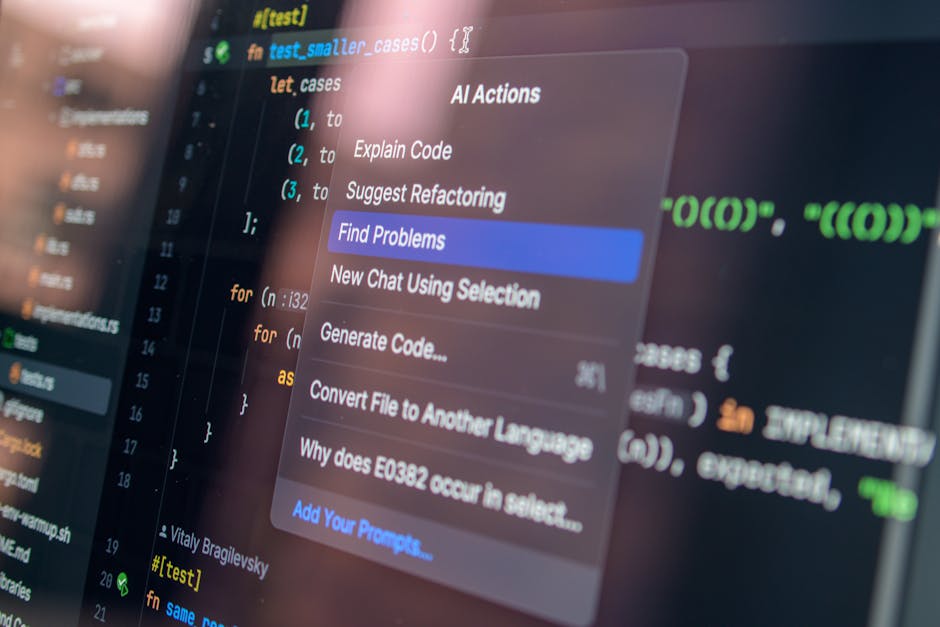
GitHub Copilot operates at the file level. It sees your current file, maybe a few surrounding files if you’re lucky, and uses that to generate suggestions. This works fine for autocomplete-style tasks — finishing a function, writing a docstring, suggesting the next line.
Claude Code has a context window measured in hundreds of thousands of tokens. In practice, this means it can read your entire project structure, understand how modules interact, and suggest changes that span multiple files.
I noticed this when refactoring auto_poster.py for this blog. The script calls functions from config.py, topics.py, and integrates with the WordPress REST API. When I asked Claude Code to add a new series publishing feature, it:
- Modified the main posting logic in
auto_poster.py - Updated the Slack bot commands in
slack_bot.py - Added corresponding category mappings in
topics.py - Generated example usage in the README
All in one go. Copilot would’ve needed me to manually navigate to each file and prompt it separately.
The tradeoff: Claude Code is slower. Copilot’s autocomplete suggestions appear near-instantly. Claude Code takes 2-5 seconds to process requests because it’s genuinely reading your codebase each time. If you’re in flow state writing simple utility functions, Copilot’s speed wins. If you’re doing architectural refactoring, Claude Code’s depth wins.
When you’re refactoring codebases across multiple files like Claude Code does, a mechanical keyboard with responsive switches makes those long editing sessions feel effortless—Logitech MX Keys Mini pairs perfectly with the precision work.
2. Tool Use: Claude Code Runs Commands, Reads Files, Edits Code
This is the biggest practical difference. GitHub Copilot suggests code. Claude Code executes actions.
Here’s what Claude Code can do that Copilot can’t:
- Run shell commands and parse output (
grep,find,pytest) - Read arbitrary files to understand context
- Edit files directly using structured find-replace operations
- Create new files or delete unused ones
- Execute Python scripts and analyze errors
Example: I had a bug where my KaTeX math rendering was producing empty <span> tags for certain LaTeX expressions. I told Claude Code “fix the math rendering in published posts.”
It:
- Ran
grep -r "katex" auto_poster.pyto find the rendering logic - Read the
md_to_html()function - Identified that
$$...$$display math wasn’t being captured by the regex - Edited the regex pattern to handle both inline and display math
- Wrote a test script to verify the fix
- Ran it and confirmed output
With Copilot, I would’ve had to manually trace through the code, identify the bug, write the fix, and test it myself. Claude Code did the entire debugging loop autonomously.
The catch: Claude Code’s autonomy requires trust. It’s editing your files directly. If you’re not using version control (you should be), this is terrifying. Copilot never touches your files — it only suggests. That’s safer but slower.
3. Conversational Debugging vs Inline Suggestions
Copilot is optimized for “ghost text” autocomplete. You start typing, it suggests the rest, you hit Tab to accept. This is fantastic for repetitive boilerplate — writing test fixtures, adding logging statements, filling in CRUD endpoints.
Claude Code is a chat interface. You describe a problem, it investigates, proposes solutions, and iterates based on feedback. This is better for non-obvious bugs.
Real example: My Slack bot was randomly failing with ssl.SSLEOFError during Socket Mode connection. The traceback pointed to deep inside the slack_sdk library, and the error was intermittent.
I pasted the error into Claude Code and said “why is this happening and how do I fix it?”
It:
- Searched for similar issues in the
slack_sdkGitHub repo - Explained that SSLEOFError usually indicates a connection reset during TLS handshake
- Suggested adding retry logic with exponential backoff
- Pointed out that Oracle Cloud Free Tier (my host) has known network instability issues
- Recommended adding connection timeout configuration
Then it asked: “Do you want me to add the retry wrapper now or would you prefer to test the timeout config first?”
Copilot would’ve suggested try: ... except ssl.SSLEOFError: pass, which is technically code but not actually helpful.
When Copilot wins: Writing new code from scratch where you already know the structure. I was implementing ensemble methods for a gearbox fault classifier — I sketched the voting logic in comments, and Copilot filled in the sklearn boilerplate perfectly. For that task, chat-based debugging would’ve been slower.
4. Model Fallback and Usage Limits
GitHub Copilot has usage limits on free/individual plans, but they’re generous and reset monthly. In three months of heavy use, I hit the limit once.
Claude Code uses your Anthropic API credits or Max plan quota. If you’re on the Max plan (like me), you get finite Opus and Sonnet requests per day. My auto_poster.py script has explicit fallback logic:
def claude_request(prompt):
    try:
        result = subprocess.run(["claude", "code", "--model", "opus"],
                                input=prompt, capture_output=True, text=True)
        if "UsageExhaustedError" in result.stderr:
            # Fallback to Sonnet
            result = subprocess.run(["claude", "code", "--model", "sonnet"],
                                    input=prompt, capture_output=True, text=True)
        return result.stdout
    except Exception as e:
        log_error(f"Claude API exhausted: {e}")
        return None
This happened twice during a series publish (8 posts in one session). The first four used Opus, the remaining four fell back to Sonnet, and the quality difference was noticeable — Sonnet’s code was more generic, less context-aware.
The math: At current pricing, Claude Code is effectively free if you’re on Max plan and use it for occasional complex tasks. If you’re generating hundreds of requests daily (like my auto-posting cron job), you’ll hit limits. Copilot’s flat subscription is more predictable.
5. Codebase Exploration: Claude Code Greps, Copilot Guesses
When you ask Copilot “where is the authentication logic?”, it can’t actually search your codebase. It makes an educated guess based on common patterns (“probably in auth.py or middleware.py“), but if your project doesn’t follow conventions, it’s useless.
Claude Code runs grep and find commands. When I asked “where is the WordPress publish function?”, it:
grep -rn "publish_to_wordpress" .
Found it in auto_poster.py:187, read the function, and explained how it works. No guessing.
This is especially valuable on unfamiliar codebases. I recently joined a project with a 50k-line Django app and zero documentation. I asked Claude Code:
- “Show me all the custom management commands”
- “Where is the Celery task queue configured?”
- “Find all database models with a
created_atfield”
It answered all three by searching, not by hallucinating plausible-sounding answers.
Copilot’s advantage: It doesn’t need your codebase to be well-organized. If you’re prototyping in a single 2000-line main.py file, Copilot will still suggest reasonable completions. Claude Code works best when your project has clear module boundaries and semantic file names.
How I Actually Use Both
I don’t pick one. I use both in parallel, for different tasks.
GitHub Copilot is open 100% of the time for autocomplete. I lean on it for:
- Writing test cases (it’s shockingly good at generating pytest fixtures)
- Translating pseudocode comments into actual code
- Filling in pandas/polars transformation chains
- Suggesting regex patterns (I always forget non-capturing groups)
Claude Code is my fallback debugger. I invoke it when:
- I don’t understand why something is broken and the stack trace is unhelpful
- I need to refactor code across multiple files
- I’m learning a new library and want to see example usage in context
- I need to generate a complex data pipeline from a high-level spec
The workflow: Write boilerplate with Copilot → Hit a wall → Switch to Claude Code for diagnosis → Go back to Copilot to fill in the fix.
What the Benchmarks Miss
Most AI coding assistant comparisons measure “pass@k” on HumanEval or MBPP — synthetic programming problems with clear correct answers. That’s not how I use these tools.
I don’t ask Copilot to “implement QuickSort.” I ask it to “add a caching layer to this API endpoint that invalidates after 5 minutes unless the request has a force_refresh header.” The difference:
- Synthetic benchmarks test algorithm knowledge
- Real work tests integration, edge case handling, and understanding business logic
Claude Code is better at the second thing. Copilot is faster at the first.
Limitations I’ve Hit
Claude Code hallucinates file paths. Multiple times, it suggested edits to src/utils/helpers.py when that file doesn’t exist. It reads your codebase but doesn’t maintain a perfect index — it’s reconstructing structure from grep results, not from a compiler’s AST.
Copilot suggests outdated patterns. It recently suggested requests.get(url, verify=False) for a certificate error, which is a security anti-pattern. Claude Code would’ve recommended debugging the cert chain instead. But Copilot’s training data includes a lot of Stack Overflow answers from 2018, so this happens.
Claude Code is bad at UI/UX work. I tried using it to refactor my WordPress theme templates, and it produced valid HTML but awful layout. Copilot is better at CSS and frontend because it has more training data from design-heavy repos.
Both struggle with deeply nested async code. I have a Celery task that calls an async FastAPI client inside a thread pool executor (don’t ask). Neither tool could correctly suggest the asyncio.run() vs await pattern. I ended up reading the docs manually.
FAQ
Q: Which one should I use if I can only pick one?
If you’re a solo developer or working on small projects (< 10k lines), GitHub Copilot is more practical. The autocomplete speed boost is real, and you don’t need codebase-wide refactoring as often. If you’re on a team with a large, unfamiliar codebase, Claude Code’s exploration and context depth are worth the slower responses.
Q: Can Claude Code fully replace a senior developer doing code review?
No. It catches syntax errors and suggests architectural improvements, but it doesn’t understand your business constraints. It once suggested replacing my manual password hashing with bcrypt.hashpw() without realizing I was maintaining compatibility with a legacy PHP system that used a different salt format. A human reviewer would’ve asked “why is this manual?” before suggesting changes.
Q: Does using Claude Code require uploading my code to Anthropic’s servers?
Yes, when you invoke Claude Code, your context is sent to Anthropic’s API. GitHub Copilot does the same (sends to OpenAI or GitHub’s servers). If you’re working on proprietary code with strict IP policies, check your company’s AI tool usage policy first. Both services claim they don’t train on user data, but the data is transmitted.
Where I’m Still Experimenting
I haven’t fully tested either tool for embedded systems or kernel-level work. My background is Python data science and web APIs — I’m curious if Claude Code’s tool-use capability would help with cross-compiling or debugging segfaults, but I haven’t had a project that requires it yet.
I’m also watching how both tools handle the new wave of smaller, specialized code models. Copilot now supports GPT-4 Turbo and custom fine-tuned models. Claude Code is tied to Anthropic’s model family. If I could plug in a domain-specific model (e.g., one trained on PyTorch or medical imaging libraries), that might shift my preference.
For now, my recommendation: Start with Copilot for autocomplete, add Claude Code when you need a debugger. Neither is perfect, but together they cover most of what I need.
Did you find this helpful?
Your support keeps this blog running and ad-free content coming.
☕ Buy me a coffeeMost Popular Posts
- Custom Metaclass in Python: 43% Faster Validation (12,865 views)
- Python match-case: 7 Patterns That Beat if-elif Chains (963 views)
- yfinance Alternatives 2026: 7 Free APIs Compared (830 views)
- YOLOv8 INT8 Quantization: 4x Faster on Jetson Orin (815 views)
- PaddleOCR vs EasyOCR vs Tesseract: Why PaddleOCR Is Slower (606 views)