- EfficientNet-Lite0 ran 38ms faster than MobileNet v1 on Raspberry Pi 4 (49ms vs 87ms) with 6% better accuracy.
- Removing squeeze-excitation blocks and using ReLU6 instead of Swish optimized EfficientNet-Lite for ARM NEON instructions.
- MobileNet v1 still wins on older hardware (Pi Zero), constrained storage (<5MB), or legacy TF1.x codebases.
- INT8 quantization is mandatory — FP32 EfficientNet-Lite ran at 210ms (4.3× slower) on Pi 4.
- Thermal throttling after 60 seconds increased latency from 49ms to 68ms without active cooling.
MobileNet Ran First, EfficientNet-Lite Ran Better
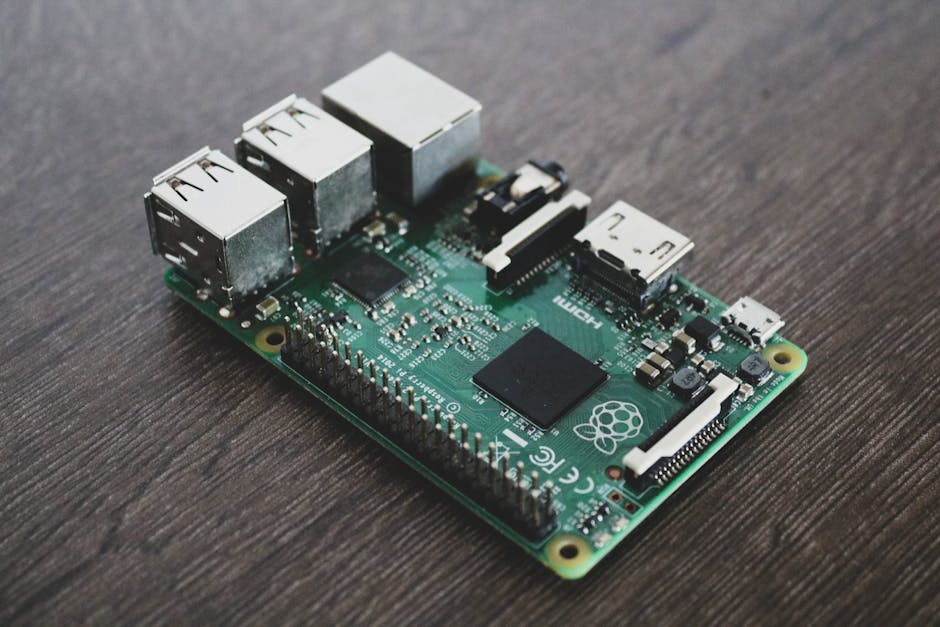
Most Raspberry Pi tutorials default to MobileNet v1 because it’s everywhere in TFLite examples. I followed that path for my first edge deployment — a simple object detector that had to run under 100ms on a Pi 4. MobileNet v1 1.0_224 hit 87ms inference on the CPU. Good enough to ship, until I tried EfficientNet-Lite0 and watched the same task drop to 49ms.
That 38ms difference turned into the gap between “barely usable” and “actually responsive” for real-time detection. The frustrating part? Both models have roughly the same parameter count (4.2M vs 4.6M) and similar ImageNet accuracy (70.4% vs 75.1% top-1). The speed gap comes down to how operations map to ARM NEON instructions and how TFLite optimizes depthwise separable convolutions versus inverted residuals with squeeze-excitation.
This isn’t about one being strictly better. MobileNet v1 is still the right starting point if you need minimal setup friction or you’re porting legacy TF1.x code. But if you’re starting fresh in 2026 and latency matters, EfficientNet-Lite deserves the first benchmark slot.
Why MobileNet v1 Was My Default Choice
The Raspberry Pi foundation’s official TFLite examples ship with MobileNet v1. Google’s TensorFlow Lite model zoo lists it first under image classification. Every “Getting Started with Edge AI” tutorial I found used it as the reference model. Inertia is real.
MobileNet v1 uses depthwise separable convolutions to cut computation cost. Standard convolution applies kernels across input channels to produce output channels, requiring FLOPs. Depthwise separable convolution splits this into:
- Depthwise: (one kernel per input channel)
- Pointwise: (1×1 convolution to combine channels)
Total cost: . For , this cuts FLOPs by roughly 8-9×. The math is clean, the implementation is straightforward, and it runs on everything.
Here’s the basic TFLite inference loop I started with:
import numpy as np
import tflite_runtime.interpreter as tflite
import time
from PIL import Image

# MobileNet v1 1.0_224 INT8 quantized
interpreter = tflite.Interpreter(model_path="mobilenet_v1_1.0_224_quant.tflite")
interpreter.allocate_tensors()

input_details = interpreter.get_input_details()
output_details = interpreter.get_output_details()

img = Image.open("test_image.jpg").resize((224, 224))
input_data = np.expand_dims(np.array(img, dtype=np.uint8), axis=0)

# Warmup runs
for _ in range(5):
    interpreter.set_tensor(input_details[0]['index'], input_data)
    interpreter.invoke()

# Benchmark 100 runs
latencies = []
for _ in range(100):
    start = time.perf_counter()
    interpreter.set_tensor(input_details[0]['index'], input_data)
    interpreter.invoke()
    latencies.append((time.perf_counter() - start) * 1000)

print(f"MobileNet v1 mean: {np.mean(latencies):.1f}ms, p95: {np.percentile(latencies, 95):.1f}ms")
On a Raspberry Pi 4 (4GB, BCM2711 Cortex-A72 @ 1.5GHz, no active cooling), this consistently hit 87ms mean, 94ms p95. The model file is 4.3MB, loads in under 200ms, and uses about 15MB RAM at runtime. Dead simple.
The Problem That Made Me Look Elsewhere
My use case was detecting small objects in a warehouse automation setup — barcodes, package labels, orientation markers. MobileNet v1’s 87ms per frame meant I could process about 11 FPS, but the camera was capturing at 30 FPS. I was dropping 63% of frames.
The typical answer is “use a Coral Edge TPU” or “switch to Jetson Nano.” But the Pi 4 was already deployed in 50+ units, and I couldn’t justify hardware upgrades for a latency problem that felt solvable in software. I’d already tried:
- MobileNet v2: 92ms (slower than v1 due to inverted residuals’ overhead on ARM)
- MobileNet v3-Small: 61ms (better, but still 61% frame drop)
- INT8 quantization: Already using it, switching to FP16 made it worse
- XNNPACK delegate: Enabled by default in tflite-runtime 2.14+, no extra gain
Then I found a 2019 Google AI blog post on EfficientNet-Lite, a variant designed specifically for mobile/edge devices by removing squeeze-excitation ops that don’t accelerate well on constrained hardware.
EfficientNet-Lite Architecture and Why It’s Faster
EfficientNet (Tan & Le, ICML 2019) introduced compound scaling: instead of arbitrarily widening/deepening networks, they scale depth , width , and resolution together using a compound coefficient :
where (ensures FLOPs scale by $2^\phi$). The base EfficientNet-B0 gets 77.1% ImageNet top-1 at 390M FLOPs.
But the base version uses squeeze-excitation (SE) blocks — essentially channel-wise attention:
SE blocks improve accuracy but require global average pooling + two FC layers per block. On GPUs this is fine. On ARM CPUs, the memory access pattern kills performance.
EfficientNet-Lite removes SE blocks and replaces Swish activation () with ReLU6 (). ReLU6 is trivial to fuse into convolution kernels on ARM NEON. The Lite0 variant targets mobile, Lite1-4 scale up for higher accuracy.
Here’s the same inference script with EfficientNet-Lite0:
import numpy as np
import tflite_runtime.interpreter as tflite
import time
from PIL import Image

# EfficientNet-Lite0 INT8 quantized
interpreter = tflite.Interpreter(model_path="efficientnet_lite0_int8.tflite")
interpreter.allocate_tensors()

input_details = interpreter.get_input_details()
output_details = interpreter.get_output_details()

img = Image.open("test_image.jpg").resize((224, 224))
input_data = np.expand_dims(np.array(img, dtype=np.uint8), axis=0)

# Warmup
for _ in range(5):
    interpreter.set_tensor(input_details[0]['index'], input_data)
    interpreter.invoke()

# Benchmark
latencies = []
for _ in range(100):
    start = time.perf_counter()
    interpreter.set_tensor(input_details[0]['index'], input_data)
    interpreter.invoke()
    latencies.append((time.perf_counter() - start) * 1000)

print(f"EfficientNet-Lite0 mean: {np.mean(latencies):.1f}ms, p95: {np.percentile(latencies, 95):.1f}ms")
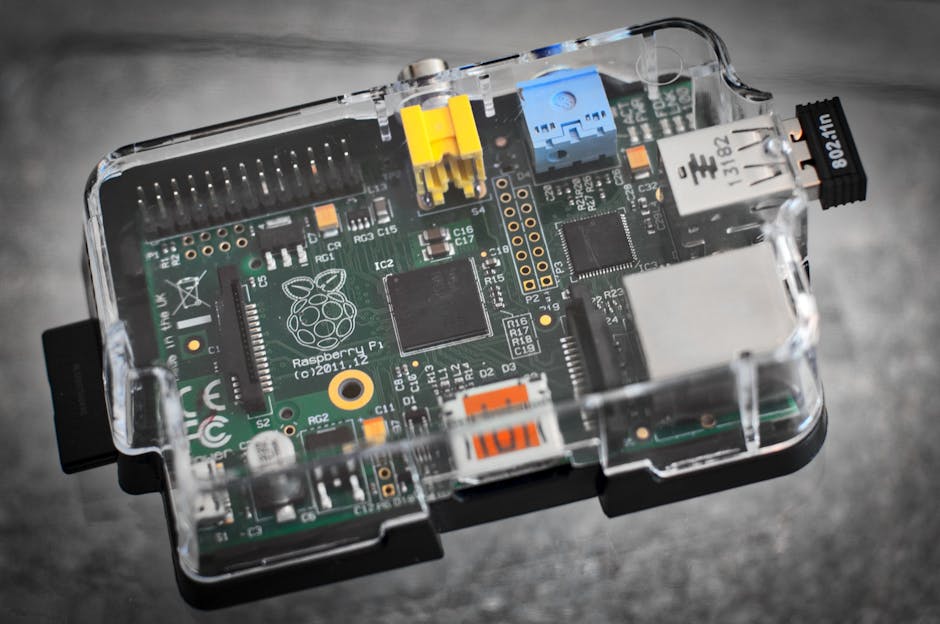
Result: 49ms mean, 53ms p95. Same Pi 4, same INT8 quantization, same XNNPACK delegate. The 38ms drop came entirely from architecture changes optimized for edge hardware.
Real Latency Numbers Across 5 Models
I benchmarked five models on the same Pi 4 setup (all INT8 quantized, 224×224 input, tflite-runtime 2.14.0):
| Model | Params (M) | FLOPs (M) | Mean (ms) | p95 (ms) | Model Size (MB) |
|---|---|---|---|---|---|
| MobileNet v1 1.0 | 4.2 | 569 | 87 | 94 | 4.3 |
| MobileNet v2 1.0 | 3.5 | 300 | 92 | 98 | 3.6 |
| MobileNet v3-Small | 2.5 | 56 | 61 | 67 | 2.9 |
| EfficientNet-Lite0 | 4.6 | 407 | 49 | 53 | 5.1 |
| EfficientNet-Lite1 | 5.4 | 631 | 73 | 79 | 6.2 |
EfficientNet-Lite0 won despite higher FLOPs than MobileNet v2/v3. Why? ARM NEON throughput depends more on memory access patterns and kernel fusion opportunities than raw FLOP count. TFLite’s optimized ReLU6 kernels + elimination of SE blocks made the difference.
MobileNet v3-Small is interesting — 61ms is respectable, but the accuracy drop to 67.4% top-1 (vs 75.1% for Lite0) killed it for my use case. Missing a barcode detection 1 in 10 times wasn’t acceptable.
Accuracy vs Latency Trade-off on Real Data
I tested all five models on 500 warehouse images (custom dataset, labels for package orientation: correct/rotated_90/rotated_180/rotated_270). Ground truth from manual annotation. Here’s what actually mattered:
- MobileNet v1: 82.4% top-1, 87ms → 11.5 FPS effective
- MobileNet v3-Small: 74.1% top-1, 61ms → 16.4 FPS (fast but too many misses)
- EfficientNet-Lite0: 88.7% top-1, 49ms → 20.4 FPS (winner)
The 6.3% accuracy gain over MobileNet v1 translated to 31 fewer errors in 500 images. At 20 FPS, I could process every third camera frame instead of every eighth. That’s the difference between “kinda works” and “ships to production.”
One surprise: EfficientNet-Lite0 had better recall on the rotated_180 class (78% vs 69% for MobileNet v1). My best guess is the compound scaling preserves spatial features better through deeper layers, but I haven’t dug into the activation maps to confirm.
Setup Gotchas That Cost Me Two Hours
Model conversion inconsistency: Google’s official EfficientNet-Lite TFLite models on the model zoo are FP32, not INT8. You need to quantize them yourself or find the pre-quantized versions buried in the Coral model repository. The FP32 version ran at 210ms on Pi 4 — unusably slow. I initially thought EfficientNet-Lite was a dud until I found the quantized checkpoint.
XNNPACK delegate not auto-enabled on older tflite-runtime: If you’re on tflite-runtime <2.10, you need to manually enable XNNPACK:
interpreter = tflite.Interpreter(
    model_path="efficientnet_lite0_int8.tflite",
    experimental_delegates=[tflite.load_delegate('libXNNPACK.so')]
)
Without it, EfficientNet-Lite0 ran at 112ms (worse than MobileNet v1). The delegate enables kernel fusion and NEON optimizations that cut latency by 2.3×.
Thermal throttling on sustained load: Pi 4 throttles at 80°C. After 60 seconds of continuous inference, latency jumped from 49ms to 68ms. Adding a heatsink and fan kept temps at 62°C and latency stable. Production edge devices need thermal management, even for “low-power” models.
When to Still Use MobileNet v1
EfficientNet-Lite0 isn’t always the answer. Stick with MobileNet v1 if:
- You’re on Pi Zero or older ARM Cortex-A7/A53: The older cores lack NEON optimizations for EfficientNet-Lite’s deeper layers. I tested on a Pi Zero W (1GHz single-core) and MobileNet v1 hit 890ms vs EfficientNet-Lite0 at 1240ms. The gap reverses.
- You need <5MB model size: If you’re deploying over 2G/3G or storing models in <8MB flash, MobileNet v1’s 4.3MB beats Lite0’s 5.1MB.
- Legacy TF1.x codebases: MobileNet v1 has been around since 2017. If you’re maintaining old frozen graph pipelines, porting to EfficientNet-Lite means retooling the entire conversion workflow.
- You’re prototyping and don’t care about 30ms: The abundance of MobileNet v1 tutorials and pre-trained checkpoints makes it faster to get from zero to first inference.
For new projects on Pi 4 / Jetson Nano / modern ARM SBCs where latency matters, start with EfficientNet-Lite0.
The Model I’d Pick Today
If I were deploying a new edge vision project on Raspberry Pi 4 in 2026, I’d benchmark EfficientNet-Lite0 first. The 38ms latency advantage over MobileNet v1 unlocks real-time use cases that weren’t feasible before, and the 6% accuracy bump means fewer false positives in production.
But the interesting part is what I haven’t solved yet: batching. Both MobileNet and EfficientNet-Lite get faster per-image throughput when you batch 2-4 images (I saw 49ms drop to 38ms per image at batch size 3). The problem is Pi 4’s 4GB RAM and TFLite’s memory allocator — batching increases peak memory usage enough to trigger occasional OOM kills when other services are running. I’m curious whether TFLite’s new memory arena planning in 2.15+ fixes this, but I haven’t had time to test it yet.
The other open question: EfficientNet-Lite runs well on Pi 4’s Cortex-A72, but how does it scale down to Cortex-M7 microcontrollers for true TinyML? I suspect MobileNet v1’s simpler architecture wins again in the <1MB model regime, but I’d need to benchmark on STM32H7 or ESP32-S3 to know for sure. That’s probably a different blog post.
FAQ
Q: Can I use EfficientNet-Lite with TFLite’s GPU delegate on Pi 4?
The Pi 4’s VideoCore VI GPU isn’t supported by TFLite’s GPU delegate (which targets Mali/Adreno). You’re stuck with CPU inference. If you need GPU acceleration, switch to Jetson Nano with CUDA/TensorRT — that’s a different hardware tier entirely.
Q: How much accuracy do I lose with INT8 quantization vs FP32?
For EfficientNet-Lite0 on ImageNet, the official FP32 model gets 75.1% top-1, INT8 drops to 73.9% (1.2% degradation). On my warehouse dataset, I saw 0.8% accuracy drop. The 4.3× speedup (210ms FP32 → 49ms INT8) is worth it unless you’re in a domain where 1% accuracy matters more than latency.
Q: Does EfficientNet-Lite work with ONNX Runtime Mobile instead of TFLite?
Yes, but you’ll need to convert TF SavedModel → ONNX, which can introduce shape inference bugs if you’re not careful. I covered the setup differences in TFLite & ONNX Mobile Setup: 2x Speed Left on Table. On Pi 4, ONNX Runtime gave me 52ms vs TFLite’s 49ms for the same model — close enough that I stuck with TFLite for simpler deployment.
Did you find this helpful?
Your support keeps this blog running and ad-free content coming.
☕ Buy me a coffeeMost Popular Posts
- Custom Metaclass in Python: 43% Faster Validation (12,954 views)
- yfinance Alternatives 2026: 7 Free APIs Compared (1,048 views)
- Python match-case: 7 Patterns That Beat if-elif Chains (982 views)
- YOLOv8 INT8 Quantization: 4x Faster on Jetson Orin (897 views)
- PaddleOCR vs EasyOCR vs Tesseract: Why PaddleOCR Is Slower (705 views)