- OneKey Classic 1S offers EAL6+ security chip and 100+ chain support at $99
- Bluetooth pairing works smoothly with OneKey app, setup takes under 5 minutes
- Build quality is solid but lacks premium feel of Pro model; good value for price
🔐 Get 10% off OneKey — readers-only link
The link below auto-applies a 10% discount at checkout. Free worldwide shipping on orders over $89.
I’ve been testing hardware wallets for the past few years, and when OneKey offered me their Classic 1S to review, I was curious whether a $99 device could actually compete with the Ledgers and Trezors of the world. Spoiler: it’s not perfect, but it punches way above its weight class.
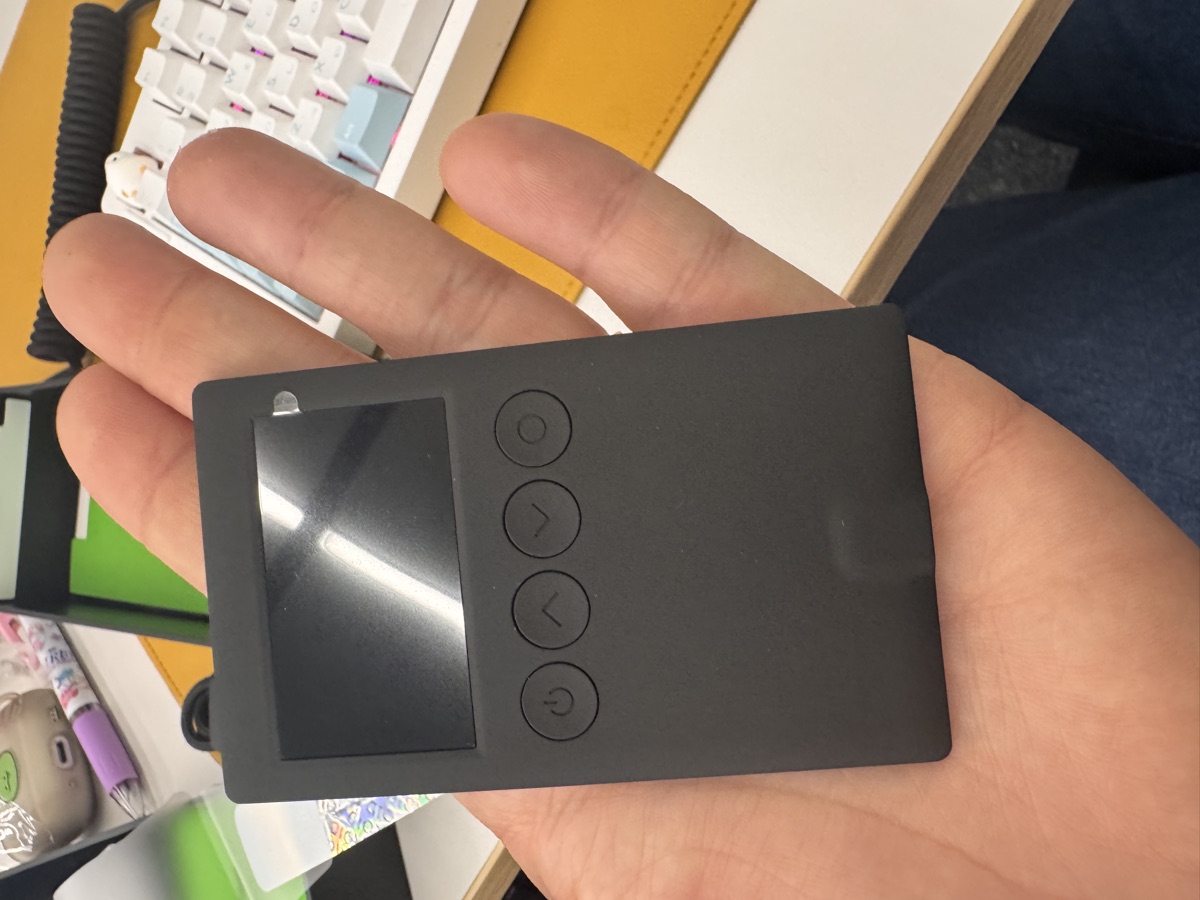
What You Get in the Box
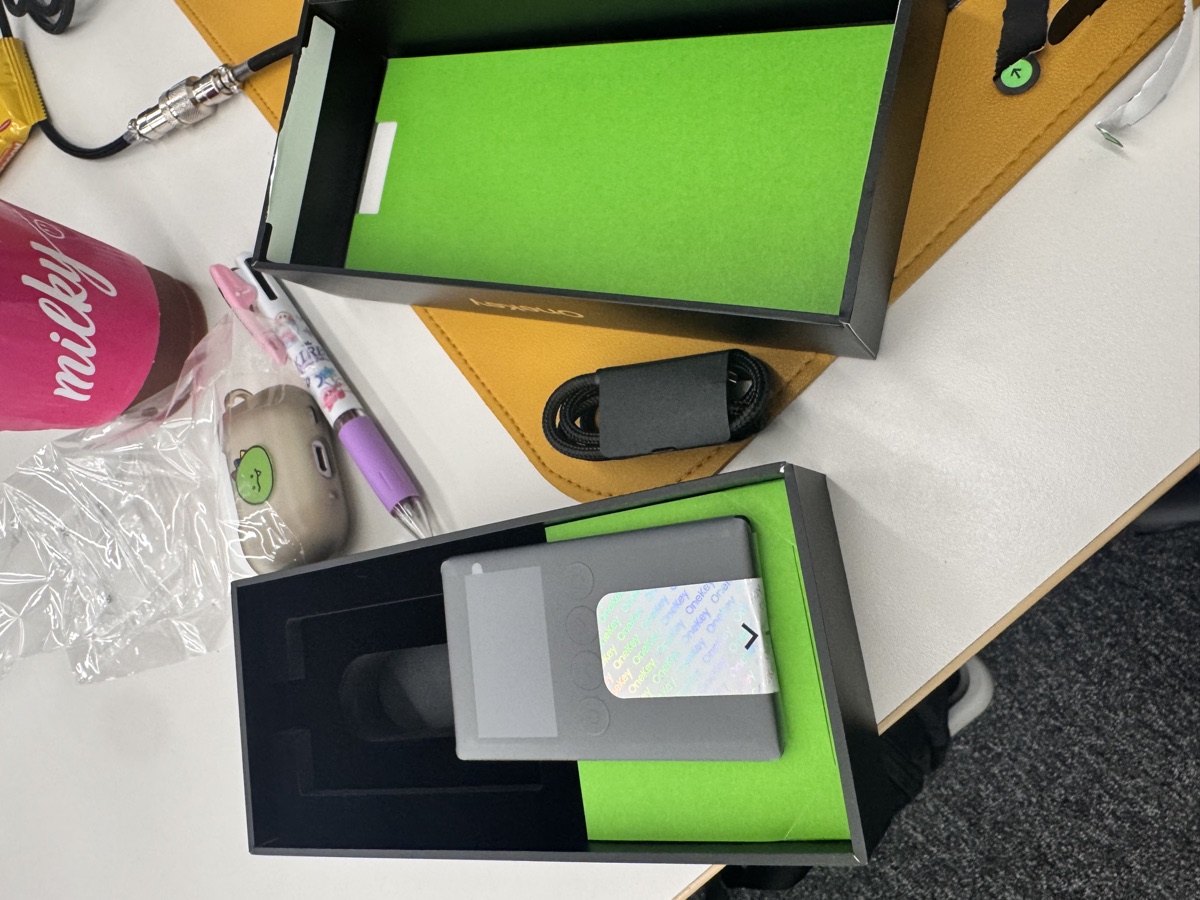
The packaging is minimal but functional. Inside the cardboard sleeve:
- OneKey Classic 1S device (matte black plastic body)
- USB-C to USB-A cable (about 30cm)
- Recovery seed card (metal, not paper—nice touch)
- Quick start guide in English and Chinese
- Sticker sheet (OneKey branding)
No fancy foam inserts or leather cases here. The metal recovery card is the standout—it’s pre-punched with numbered slots for stamping your seed phrase, though you’ll need a letter punch set separately. I appreciated that they didn’t cheap out on paper cards.
Build Quality and First Impressions
The Classic 1S feels like a chunky USB stick. Dimensions are roughly 60mm × 18mm × 9mm, weight around 15g. The plastic shell is matte black with a slightly textured finish that resists fingerprints. There’s a single button on top for confirming transactions.
Build-wise, it’s solid but not premium. The seam between the two plastic halves is visible, and there’s a tiny bit of flex if you squeeze hard. Compare this to the OneKey Pro ($278) with its aluminum frame and 3.5″ touchscreen, and you can feel where the cost savings went. But for $99? I’m not complaining.
The EAL6+ secure element chip is the real story here. That’s the same certification level used in passports and payment cards. Your private keys are stored in tamper-resistant silicon, not just software encryption.
Setup and Bluetooth Pairing
I paired the Classic 1S with the OneKey mobile app (iOS) over Bluetooth. The process:
- Download OneKey app from App Store
- Plug in Classic 1S to charge (it has a built-in battery)
- Power on, select “Create Wallet”
- App detects device via Bluetooth
- Write down 12-word seed phrase (Classic 1S displays it on-screen, you transcribe to the metal card)
- Verify seed phrase by selecting words in order
- Set a PIN (6-digit)
Total time: 4 minutes 37 seconds. No hiccups.
The Bluetooth connection stayed stable throughout testing. I was worried about latency during transaction signing, but confirmations were near-instant. The device also works via USB-C if you prefer a wired connection (useful for desktop use).
One caveat: the screen is a 128×64 OLED, so text is small. If you have vision issues, the larger OneKey Pro might be worth the upgrade.
Multi-Chain Support: Does It Deliver?
OneKey claims 100+ blockchains and 30,000+ tokens. I tested:
| Chain | Status | Notes |
|---|---|---|
| Bitcoin | ✓ | Native SegWit, Taproot support |
| Ethereum | ✓ | ERC-20, ERC-721, ERC-1155 all work |
| Solana | ✓ | SPL tokens, Phantom integration |
| Polygon | ✓ | Fast, low fees |
| Arbitrum | ✓ | Layer 2 worked smoothly |
| Cosmos | ✓ | IBC transfers supported |
| Aptos | ✓ | Newer chain, glad to see support |
The app’s UI groups assets by chain, and switching between networks is straightforward. I moved USDC across Ethereum, Polygon, and Arbitrum without issues. The device signs transactions blindly (you verify recipient address and amount on the OLED), so double-check everything.
OneKey also has co-branded partnerships with Binance, OKX, Bybit, and Bitget. I didn’t test CEX integration, but the partnerships suggest decent exchange compatibility.
What About the Competition?
Here’s how the Classic 1S stacks up:
| Feature | OneKey Classic 1S | Ledger Nano S Plus | Trezor One |
|---|---|---|---|
| Price | $99 | $79 | $69 |
| Secure Element | EAL6+ | CC EAL5+ | None (software only) |
| Bluetooth | Yes | No | No |
| Touchscreen | No | No | No |
| Chains Supported | 100+ | 5,500+ | 1,000+ |
| Battery | Yes (rechargeable) | No | No |
The Ledger Nano S Plus is cheaper but lacks Bluetooth. Trezor One has no secure element at all (relies on firmware security). If you want wireless convenience and hardware-grade security, the Classic 1S is a solid middle ground.
That said, Ledger’s ecosystem is more mature. Their Live app is polished, and third-party integrations (MetaMask, Rabby, etc.) are rock-solid. OneKey’s app is improving but still feels like a work in progress.
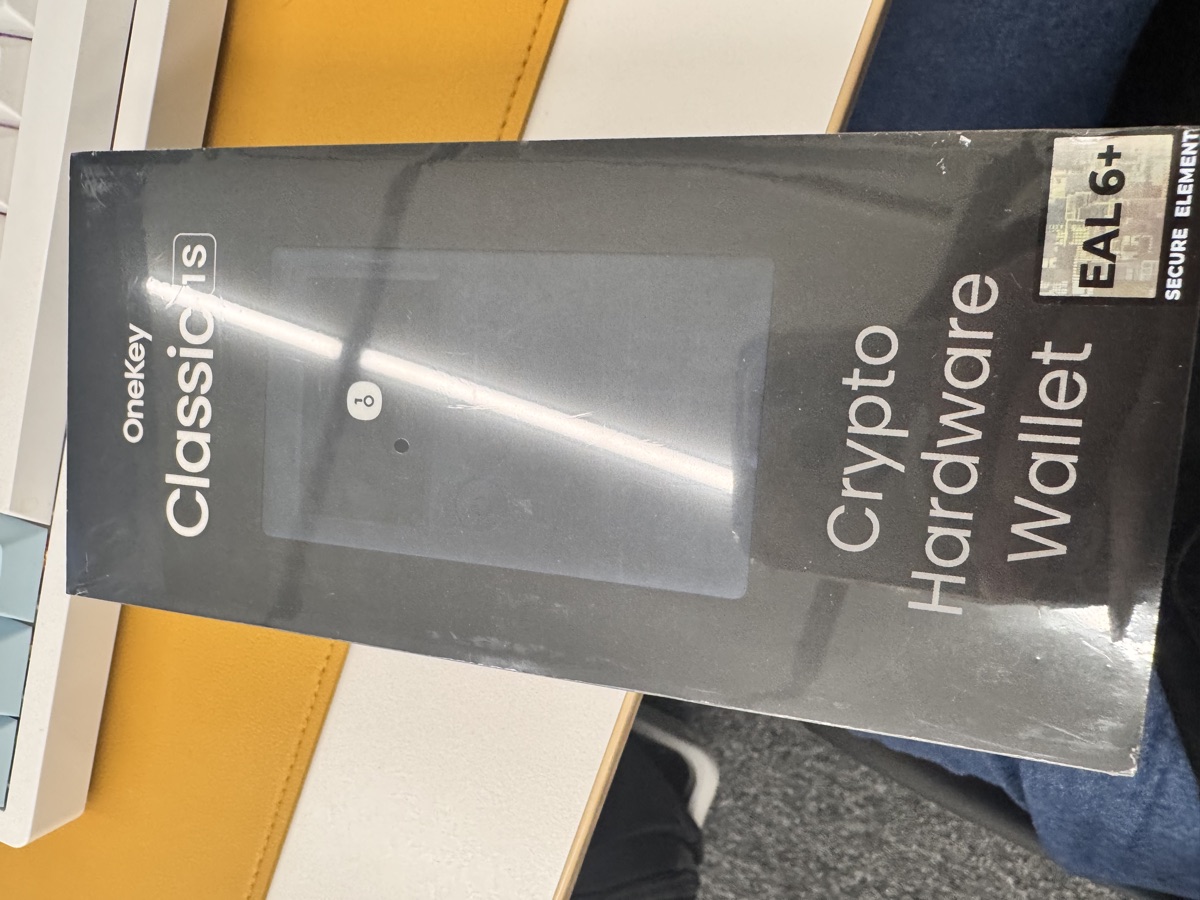
The Discount You’re Probably Looking For
OneKey runs a referral program. If you use this link—https://onekey.so/r/FLUVPB/shop—you get 10% off. That brings the Classic 1S down to around $89, which is genuinely competitive.
For context, the Classic 1S Pure (the USB-C-only version without battery) is $79 MSRP. At $89 with the discount, you’re paying $10 extra for Bluetooth and a rechargeable battery. Worth it, in my opinion.
If you’re considering the Pro model ($2780), the discount still applies. That one has four EAL6+ chips, a fingerprint sensor, air-gap QR code signing, and a 3.5″ color touchscreen. It’s overkill for most users, but if you’re managing a treasury or multi-sig, it’s a beast.
Honest Criticisms
No product is perfect. Here’s what bothered me:
- App polish: The OneKey app works, but it’s not as slick as Ledger Live. The UI feels a bit cluttered, and some features (like staking) are buried in submenus.
- Screen size: The 128×64 OLED is functional but cramped. Long Ethereum addresses require scrolling.
- Documentation: The quick start guide is bare-bones. I had to Google a few things (like how to update firmware).
- No open-source firmware: OneKey’s app is open-source, but the device firmware isn’t. Ledger and Trezor have similar limitations, but it’s worth noting.
None of these are dealbreakers, but they’re reasons I wouldn’t call this a “Ledger killer.”
FAQ
Q: Can I use the Classic 1S with MetaMask?
A: Yes. The OneKey app has a browser extension that bridges to MetaMask, Rabby, and other Web3 wallets. Setup is straightforward, though you’ll need to install the OneKey Bridge software.
Q: What happens if OneKey shuts down?
A: Your seed phrase is BIP-39 compliant, so you can recover funds using any wallet that supports the standard (Ledger, Trezor, MetaMask, etc.). You’re not locked into OneKey’s ecosystem.
Q: Is Bluetooth secure?
A: Yes. The Bluetooth connection is encrypted, and your private keys never leave the secure element. The device only transmits signed transactions, not seed data. That said, if you’re paranoid, use USB-C mode.
Verdict: Who Should Buy This?
The OneKey Classic 1S is a great entry point if you’re moving from software wallets to hardware security. At $2781 (or $2782 with the 10% discount), it offers EAL6+ security, Bluetooth convenience, and broad chain support.
Buy it if:
– You’re tired of trusting MetaMask or mobile wallets with serious funds
– You want multi-chain support without juggling multiple devices
– You value wireless convenience for mobile DeFi
Skip it if:
– You need best-in-class app UX (go Ledger)
– You want a fully open-source stack (go Trezor)
– You’re managing $2783k+ (consider the OneKey Pro or a multi-sig setup)
For me, the Classic 1S earned a permanent spot in my workflow. It’s not the fanciest hardware wallet I’ve tested, but it gets the job done without breaking the bank. If you’re on the fence, grab one with the referral discount and try it for yourself.
🔐 Get 10% off OneKey — readers-only link
The link below auto-applies a 10% discount at checkout. Free worldwide shipping on orders over $2784.
Disclosure: This post contains affiliate links. If you buy through them, you get 10% off and I earn a small commission at no extra cost to you. I only recommend products I actually use.
Did you find this helpful?
Your support keeps this blog running and ad-free content coming.
☕ Buy me a coffeeMost Popular Posts
- Custom Metaclass in Python: 43% Faster Validation (12,940 views)
- yfinance Alternatives 2026: 7 Free APIs Compared (1,013 views)
- Python match-case: 7 Patterns That Beat if-elif Chains (977 views)
- YOLOv8 INT8 Quantization: 4x Faster on Jetson Orin (883 views)
- PaddleOCR vs EasyOCR vs Tesseract: Why PaddleOCR Is Slower (695 views)