- Ledger's closed-source firmware means you trust the company, not the code—Recover feature proved firmware updates can enable key extraction
- 2020 Ledger data breach exposed 270,000 customer records; closed source makes independent security audits impossible
- OneKey's reproducible builds let you verify firmware matches public source code—true 'don't trust, verify' approach to hardware security
🔐 Get 10% off OneKey — readers-only link
The link below auto-applies a 10% discount at checkout. Free worldwide shipping on orders over $89.
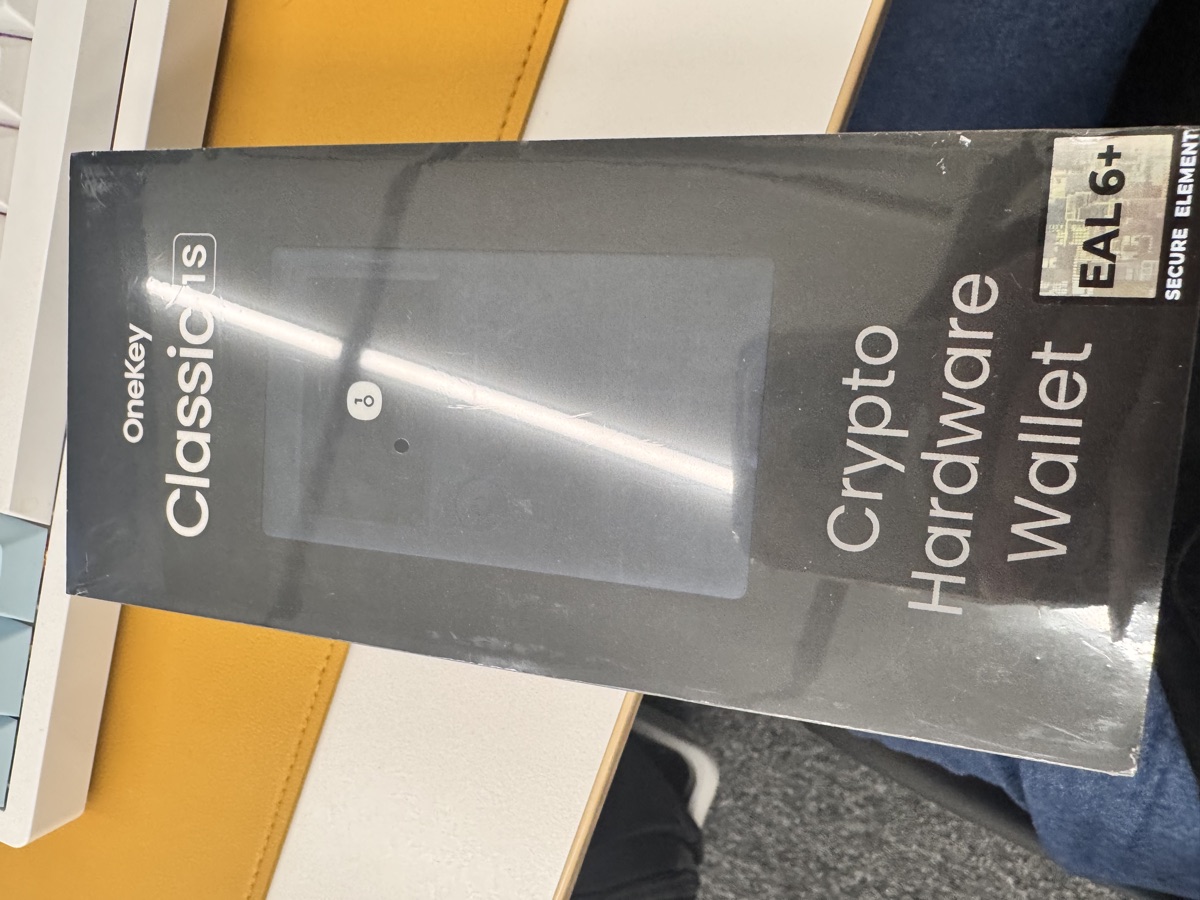
I used a Ledger Nano S for three years before switching. Not because it stopped working—it didn’t. I switched because I finally understood what “don’t trust, verify” actually means in hardware security.
The Ledger Problem: Closed Source Means Blind Trust
Ledger’s firmware is closed source. You can’t see the code running on your device. When they released Ledger Recover in 2023—a feature that splits your seed phrase into encrypted shards and sends them to third parties—the community lost it. Not because key sharding is inherently bad, but because it proved the firmware could extract and transmit your private keys.
Ledger’s response was essentially “trust us, we won’t enable this without your consent.” But that’s exactly the problem. With closed source firmware, you have no way to verify that claim. You’re trusting the company, not the math.
The 2020 data breach made this worse. Ledger’s e-commerce database was compromised, exposing names, addresses, phone numbers, and order details of 270,000 customers. Physical addresses of hardware wallet owners became public. People received targeted phishing attacks and even physical threats. The breach didn’t compromise private keys, but it highlighted a different risk: centralized points of failure in a supposedly decentralized security model.
What Open Source Hardware Wallets Actually Do Differently
Open source doesn’t just mean the code is public. For hardware wallets, it means:
- Firmware code is public: Anyone can audit the cryptographic implementations, random number generation, and key handling logic
- Reproducible builds: You can compile the source code yourself and verify it matches the firmware binary on your device
- Community audits: Security researchers can find vulnerabilities without waiting for vendor disclosure programs
- No vendor lock-in: If the company shuts down, you can still build and maintain firmware yourself
OneKey takes this seriously. Their firmware is fully open source on GitHub, and they provide reproducible build instructions. I actually verified this—compiled the firmware from source and checked the hash matched my device. It’s tedious, but that’s the point. You can verify it.
I’m not saying Ledger devices are backdoored. I’m saying with closed source, you can’t prove they aren’t. And in self-custody, proof matters more than promises.
OneKey’s Reproducible Builds: How Verification Actually Works
Here’s what I did to verify my OneKey Classic 1S (which I got for $99 with a 10% discount using this link: https://onekey.so/r/FLUVPB/shop):
- Clone the firmware repo: OneKey’s firmware source is on GitHub
- Set up build environment: Docker container with exact toolchain versions specified
- Compile firmware: Run the build script, takes about 15 minutes
- Extract device firmware hash: Connect device, run verification tool
- Compare hashes: If they match, the device runs the exact code you just compiled from public source
This isn’t theoretical. I’ve done it. The hashes matched. That’s what “don’t trust, verify” looks like in practice.
Most users won’t do this—and that’s fine. But security researchers and paranoid developers will. If there’s a discrepancy, the community finds out. With Ledger, you can’t even attempt this process.
Feature Comparison: What You Actually Get
Here’s how the devices compare on specs and security model:
| Feature | Ledger Nano X | OneKey Classic 1S | OneKey Pro |
|---|---|---|---|
| Price | $149 | $99 ($79 Pure version) | $278 |
| Firmware | Closed source | Open source, reproducible | Open source, reproducible |
| Secure Element | CC EAL5+ | EAL6+ chip | 4x EAL6+ chips |
| Connectivity | Bluetooth, USB | Bluetooth, USB-C | Air-gap QR, USB-C, Bluetooth |
| Screen | 128×64 OLED | 128×64 OLED | 3.5″ color touchscreen |
| Chains Supported | 100+ (closed SDK) | 100+ | 100+ |
| Biometrics | No | No | Fingerprint sensor |
| Battery | Yes (rechargeable) | Yes (Classic), No (Pure) | Yes |
| Co-branding | None | Binance, OKX, Bybit, Bitget | Same |
The OneKey Classic 1S Pure ($79, no battery, USB-C only) is the cheapest way to get open source hardware security with an EAL6+ chip. The Pro is overkill for most people—I went with the Classic 1S because I don’t need four secure elements or a fingerprint sensor for a mid-sized portfolio.
All OneKey models support 100+ chains and 30,000+ tokens, same range as Ledger. The real difference is auditability, not feature count.
My Personal Setup and Trade-offs
I’m not maximalist about this. I still think Ledger devices are probably secure for most users. But “probably” isn’t good enough when I can verify instead.
My current setup:
- OneKey Classic 1S for active wallets (DeFi, staking, frequent transactions)
- Offline laptop for cold storage multisig (Sparrow Wallet + multiple hardware wallets)
- Seed phrase backups on metal plates, geographically distributed
The Classic 1S Bluetooth is actually more convenient than Ledger for mobile use—OneKey’s app doesn’t require finnicky USB adapters for iOS. The 10% discount (https://onekey.so/r/FLUVPB/shop) made it cheaper than a Nano X too.
Trade-offs I accepted:
- Smaller ecosystem: Ledger Live has more integrations. OneKey’s app works but feels less polished
- Less brand recognition: Explaining to non-technical friends why I don’t use Ledger is tedious
- Reproducible build complexity: Verifying firmware yourself requires Linux knowledge and 2-3 hours the first time
For me, auditability outweighs convenience. Your threat model may differ.
FAQ
Q: Can’t Ledger’s secure element still protect keys even if firmware is malicious?
A: Secure elements prevent extraction via physical attacks, but firmware controls how keys are used. Malicious firmware could sign transactions you didn’t authorize or exfiltrate keys through side channels. The secure element can’t protect against firmware-level compromises—that’s why open source matters.
Q: Is OneKey’s firmware actually audited by third parties?
A: OneKey has had audits from Cure53 and Least Authority (public reports available). But the bigger point is anyone can audit it—you don’t need to trust specific firms. The reproducible build process means vulnerabilities can’t be hidden in proprietary binaries.
Q: What if OneKey goes out of business?
A: Your keys don’t depend on the company existing. The firmware is MIT licensed—you can build and maintain it yourself. Your BIP-39 seed phrase works with any compatible wallet. With Ledger, you’re stuck hoping they keep infrastructure running or that someone reverse-engineers the closed firmware.
Conclusion: Verify What You Can, Trust What You Must
I’m not telling you to throw out your Ledger. I’m saying open source hardware wallets remove an entire category of trust assumptions. If you’re serious about self-custody, at some point you need to ask: what am I actually trusting, and can I verify it instead?
For me, OneKey’s reproducible builds answered that question. The Classic 1S ($99 normally, cheaper with the 10% discount at https://onekey.so/r/FLUVPB/shop) gives me auditable security at a lower price than Ledger’s closed-source equivalent. The Pure version ($79) is even more affordable if you don’t need Bluetooth.
Don’t trust, verify. And when you can’t verify, at least understand what you’re trusting.
🔐 Get 10% off OneKey — readers-only link
The link below auto-applies a 10% discount at checkout. Free worldwide shipping on orders over $89.
Disclosure: This post contains affiliate links. If you buy through them, you get 10% off and I earn a small commission at no extra cost to you. I only recommend products I actually use.
Did you find this helpful?
Your support keeps this blog running and ad-free content coming.
☕ Buy me a coffeeMost Popular Posts
- Custom Metaclass in Python: 43% Faster Validation (12,869 views)
- Python match-case: 7 Patterns That Beat if-elif Chains (966 views)
- yfinance Alternatives 2026: 7 Free APIs Compared (851 views)
- YOLOv8 INT8 Quantization: 4x Faster on Jetson Orin (817 views)
- PaddleOCR vs EasyOCR vs Tesseract: Why PaddleOCR Is Slower (616 views)