- OneKey Lite uses NFC and AES-256 encryption to store seed phrases on a card that fits in your wallet
- PIN-protected with auto-wipe after 10 failed attempts, no battery or charging required
- Best for digital backups with encryption; use KeyTag if you want physical metal recovery immunity
🔐 Get 10% off OneKey — readers-only link
The link below auto-applies a 10% discount at checkout. Free worldwide shipping on orders over $89.
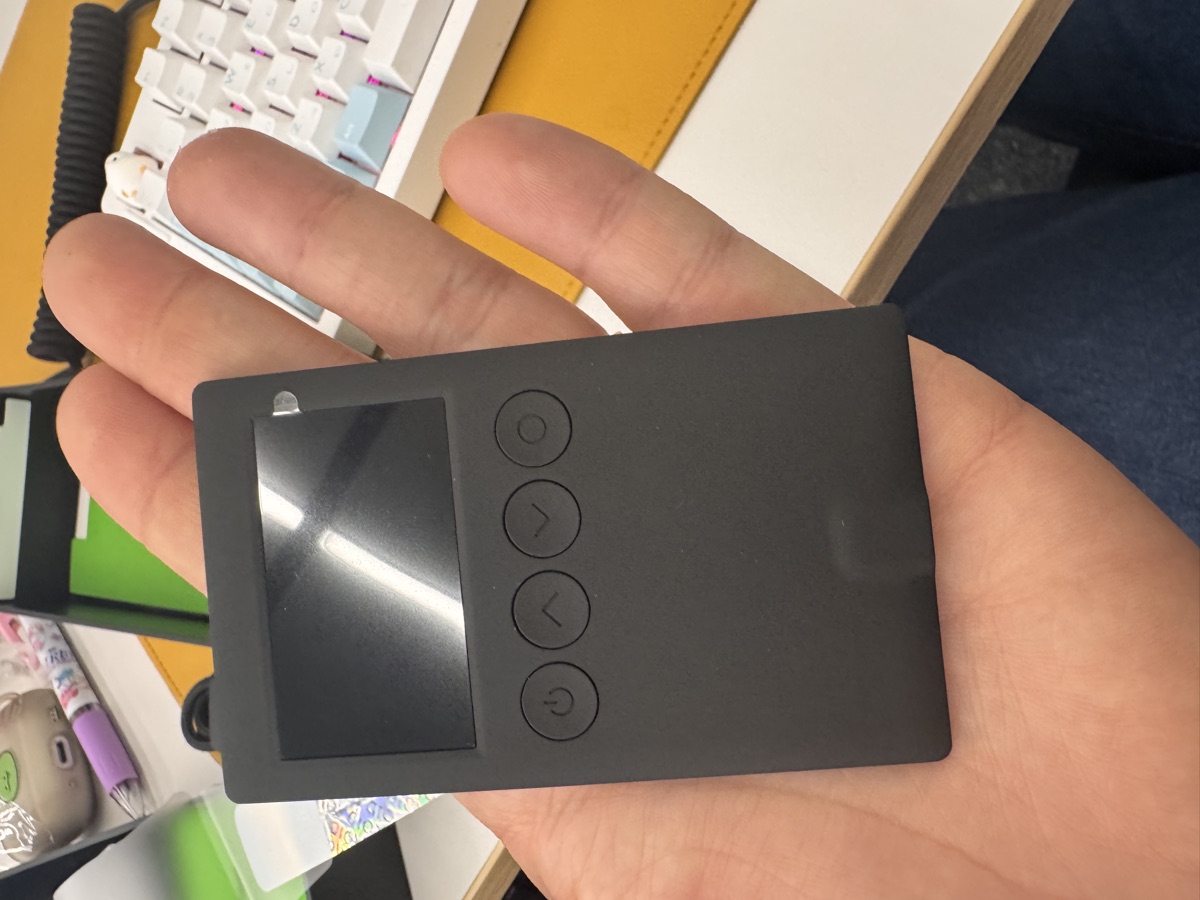
I’ve been using OneKey hardware wallets for about six months now, and when I saw they released a seed backup card, I was skeptical. Another backup solution? But after using the OneKey Lite for the past few weeks, I actually think it fills a gap that metal plates don’t.
What OneKey Lite Actually Is
OneKey Lite is an NFC card—think credit card thickness—that stores your seed phrase encrypted with AES-256. You tap it against your phone (iOS or Android), enter a PIN, and it reads or writes your backup. No battery, no charging, no USB ports. Just a chip embedded in plastic.
The card itself uses an EAL6+ certified secure element, the same military-grade chip found in the OneKey Classic 1S ($99, supports 100+ chains and 30,000+ tokens). The difference is that the Lite is purely a backup device—it doesn’t sign transactions. You use it to restore a wallet if your hardware wallet dies or gets lost.
Here’s the workflow:
- Initialize the Lite with a 6-digit PIN via the OneKey app
- Write your seed phrase to the card (it encrypts it automatically)
- Store the card somewhere safe—wallet, safe deposit box, fireproof safe
- If you ever need to recover, tap the card and enter your PIN
The card has a built-in anti-tamper mechanism: after 10 failed PIN attempts, it wipes itself permanently. This is intentional—if someone steals your card, they get 10 guesses before the data is gone.
OneKey Lite vs KeyTag: When to Use Each
OneKey also sells the KeyTag, which is a stainless steel plate where you manually punch in your seed words using letter/number stamps. I own both, and they serve different purposes.
| Feature | OneKey Lite | KeyTag |
|---|---|---|
| Medium | NFC card (plastic) | Stainless steel plate |
| Encryption | AES-256, PIN-protected | None (physical words) |
| Fire resistance | No (melts ~160°C) | Yes (melts ~1400°C) |
| Water resistance | IP68 (submersible) | Fully waterproof |
| Tamper protection | Auto-wipe after 10 fails | Physically destructible |
| Ease of recovery | Tap + PIN | Manual transcription |
| Price | ~$30 | ~$40 |
| Best for | Digital convenience | Disaster immunity |
I use the Lite as my primary backup because I travel frequently and need something I can fit in my wallet without looking suspicious. The KeyTag lives in a fireproof safe at home as a nuclear fallback.
If you’re worried about house fires, floods, or EMP scenarios, KeyTag wins. If you want encrypted, PIN-protected convenience and don’t plan to bury your backup in the woods, Lite is better.
You can grab both with a 10% discount here: https://onekey.so/r/FLUVPB/shop
How I Actually Use It
I have two OneKey Lite cards. One stays in my wallet (different PIN), and one is in a safe deposit box. Here’s why:
Card 1 (wallet): This one backs up my hot wallet—the one I use for daily DeFi, swaps, gas fees. It’s a small amount of funds (~$500-1000), so even if someone somehow cracks the PIN (unlikely), the damage is limited. The convenience of having it on me outweighs the risk.
Card 2 (safe deposit box): This backs up my main cold storage—the serious stack. I only touch this wallet a few times a year, and the backup card never leaves the bank.
The beauty of the Lite is that each card can store a different seed phrase. You’re not limited to one backup per wallet. I could theoretically have 10 cards for 10 different wallets, each with its own PIN.
One thing I genuinely like: the NFC read/write is fast. It takes maybe 3 seconds to restore a 24-word seed. Compare that to manually typing out a KeyTag backup (which I’ve done—it’s tedious and error-prone).
Security Trade-offs You Should Know
Let’s be honest: no backup method is perfect.
OneKey Lite’s weaknesses:
- Physical durability: Drop it in a fire, it’s gone. The plastic melts at relatively low temps.
- PIN dependency: If you forget your PIN and lose your original wallet, you’re locked out. There’s no recovery mechanism.
- NFC attack surface: Theoretically, someone could try to brute-force the PIN if they had physical access. The 10-attempt limit makes this impractical, but it’s still a vector that doesn’t exist with metal plates.
OneKey Lite’s strengths:
- Encryption at rest: Your seed is never stored in plaintext. Even if someone extracted the chip, they’d need the PIN to decrypt.
- Portable security: Fits in a wallet without screaming “I have crypto.” A metal plate in your luggage might raise questions.
- No battery degradation: Unlike some encrypted USB drives, there’s no battery to die. The NFC chip is passive.
For context, I also own a OneKey Classic 1S (the Bluetooth hardware wallet co-branded by Binance/OKX/Bybit/Bitget) and the OneKey Pro ($278, fingerprint sensor, air-gap QR codes, 3.5″ touchscreen). The Lite integrates seamlessly with both. You can use the same OneKey app to manage your hardware wallet and your backup cards.
FAQ
Q: Can I use OneKey Lite with non-OneKey wallets?
Yes. The Lite stores a standard BIP39 seed phrase. You can restore it to Ledger, Trezor, MetaMask, Trust Wallet, or any wallet that supports BIP39. It’s not vendor-locked.
Q: What happens if I lose the card?
If you still have your original wallet (hardware or software), nothing changes—just order a new Lite and write a new backup. If you lost both the card and the original wallet, you’re out of luck. This is why I recommend keeping multiple backups in different locations.
Q: Is the 10-attempt wipe policy too aggressive?
I don’t think so. If someone has physical access to your card, you’re already in a bad spot. The auto-wipe prevents them from taking the card to a lab and trying millions of PINs. Ten attempts is enough for you to remember your PIN (write it down separately if needed), but not enough for an attacker to brute-force it.
Final Thoughts: Who Should Buy This?
OneKey Lite is ideal if you:
- Want encrypted, PIN-protected seed storage without managing a USB drive or hardware device
- Travel frequently and need a portable backup that doesn’t look like crypto gear
- Already use a OneKey hardware wallet and want seamless backup integration
- Value convenience over maximum disaster resistance
It’s not ideal if you:
- Need fire/flood/disaster-proof storage (use KeyTag or a steel plate)
- Distrust electronic backups on principle (stick to paper or metal)
- Want a backup method that works without a smartphone (Lite requires NFC)
Personally, I think the Lite is the best secondary backup. Use KeyTag or a steel plate as your nuclear option, and use Lite for day-to-day convenience. The combination gives you both resilience and usability.
If you’re buying any OneKey product, you can get 10% off with this link: https://onekey.so/r/FLUVPB/shop. I’ve tested the Classic 1S ($99), the Pure version ($79, USB-C only, no battery), and the Pro ($278, 4x EAL6+ chips, fingerprint unlock). All solid hardware.
The Lite isn’t perfect, but it’s the most practical encrypted backup I’ve used. Just don’t put all your trust in one backup method.
🔐 Get 10% off OneKey — readers-only link
The link below auto-applies a 10% discount at checkout. Free worldwide shipping on orders over $89.
Disclosure: This post contains affiliate links. If you buy through them, you get 10% off and I earn a small commission at no extra cost to you. I only recommend products I actually use.
Did you find this helpful?
Your support keeps this blog running and ad-free content coming.
☕ Buy me a coffeeMost Popular Posts
- Custom Metaclass in Python: 43% Faster Validation (13,051 views)
- yfinance Alternatives 2026: 7 Free APIs Compared (1,197 views)
- Python match-case: 7 Patterns That Beat if-elif Chains (1,048 views)
- YOLOv8 INT8 Quantization: 4x Faster on Jetson Orin (933 views)
- PaddleOCR vs EasyOCR vs Tesseract: Why PaddleOCR Is Slower (798 views)