- OneKey supports 100+ chains and 30,000+ tokens vs Trezor's ~20 chains
- Classic 1S at $99 (or ~$89 with discount) offers EAL6+ security with Bluetooth
- Works seamlessly with Rabby and MetaMask for dApp connections across networks
🔐 Get 10% off OneKey — readers-only link
The link below auto-applies a 10% discount at checkout. Free worldwide shipping on orders over $89.
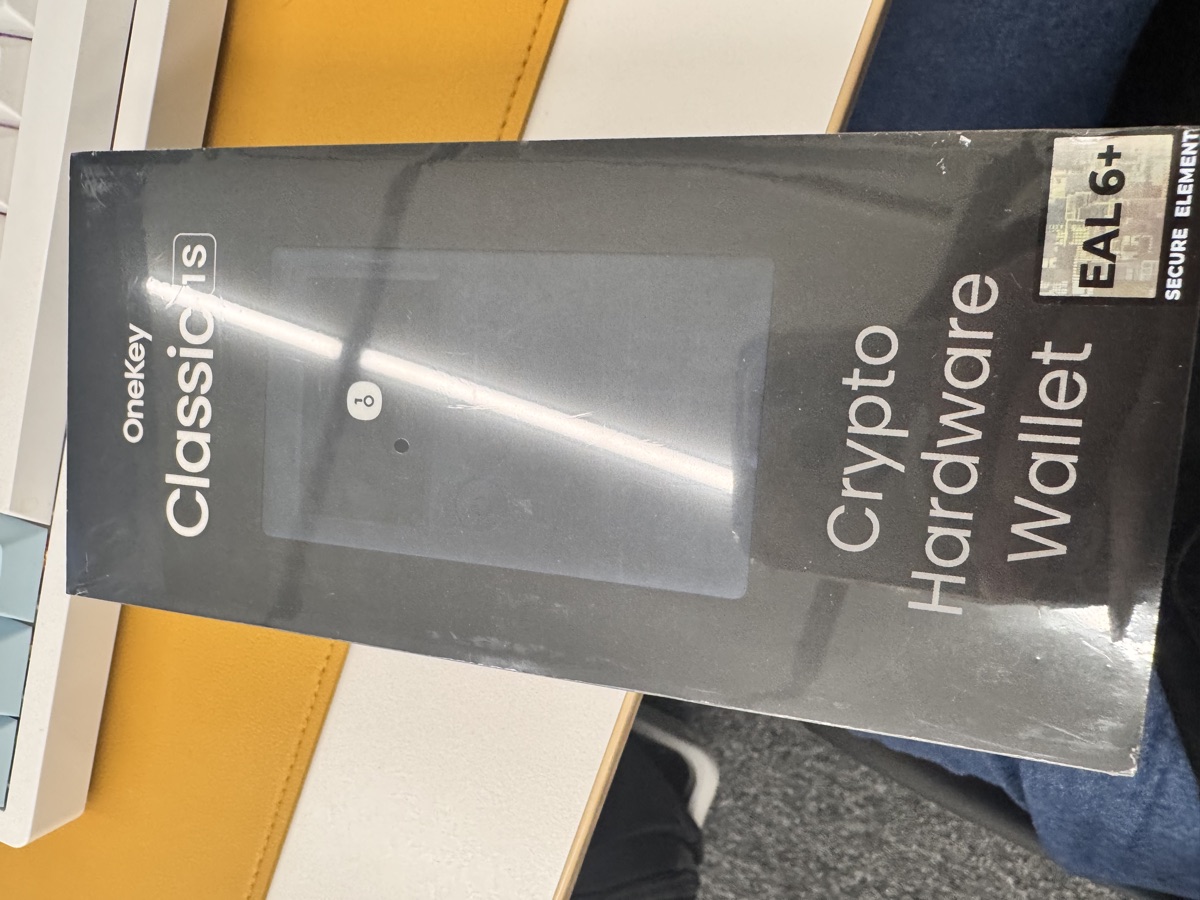
I’ve been juggling crypto across a dozen chains for years, and the wallet fragmentation was driving me insane. Then I consolidated everything onto a single OneKey device. Here’s what I learned.
Why Multi-Chain Support Actually Matters
If you’re only holding Bitcoin, any hardware wallet works fine. But the moment you start exploring DeFi on Arbitrum, bridging to Solana, or picking up tokens on Avalanche, you hit a wall. Most hardware wallets were designed for a simpler era.
Trezor, for instance, supports around 20+ blockchains. That sounds decent until you realize the crypto ecosystem now spans hundreds of networks. Every new L2, every alt-L1 with interesting yields—you’re constantly checking compatibility lists.
OneKey took a different approach: support everything. Their devices handle 100+ chains and over 30,000 tokens natively. Bitcoin, Ethereum, Solana, Cosmos chains, Polkadot parachains, the entire EVM universe—all from one seed phrase, one device.
The Hardware Lineup: Which OneKey to Choose
OneKey offers three main hardware options, each targeting different users:
| Model | Price | Key Features | Best For |
|---|---|---|---|
| Classic 1S Pure | $79 | USB-C only, no battery, EAL6+ chip | Budget-conscious, desktop-only users |
| Classic 1S | $99 | Bluetooth, battery, EAL6+ chip, co-branded versions | Most users, mobile + desktop |
| Pro | $278 | 4x EAL6+ chips, fingerprint, air-gap QR, 3.5″ touchscreen | Power users, maximum security |
I went with the Classic 1S. At $99—or around $89 if you use the 10% discount link—it hits the sweet spot. The Bluetooth connection means I can sign transactions from my phone without cables, which matters more than I expected.
The co-branding with exchanges like Binance, OKX, Bybit, and Bitget isn’t just marketing. It signals that these major players vetted the security architecture, which adds a layer of confidence.
For the security-paranoid (no judgment—I get it), the Pro model’s air-gapped QR signing means your private keys never touch a networked device. The 3.5-inch touchscreen also makes transaction verification much easier than squinting at a tiny OLED.
Setting Up Multi-Chain Management
The initial setup takes about 15 minutes. You’ll generate a seed phrase on-device, write it down (never digitally), and confirm it. Standard stuff.
Where OneKey shines is adding chains afterward. In the OneKey app:
- Go to Settings → Manage Networks
- Toggle on the chains you use
- Each chain’s accounts derive automatically from your master seed
No re-initialization, no separate backup phrases per chain. Your 24-word seed secures everything.
For EVM chains specifically, the process is even simpler. Since Ethereum, Arbitrum, Optimism, Base, Polygon, BSC, and dozens of others share the same address derivation, you’re essentially adding network definitions rather than new wallets.
Non-EVM chains like Solana, Cosmos, or Aptos get their own derived addresses, but still from the same master seed. One backup protects all your assets.
Connecting to dApps: The Rabby/MetaMask Bridge
Here’s where it gets practical. Most DeFi protocols expect MetaMask or a similar browser extension. OneKey works with both MetaMask and Rabby Wallet as a hardware signing backend.
My preferred setup:
- Install Rabby Wallet browser extension (I prefer it over MetaMask for multi-chain use)
- Connect OneKey via Bluetooth or USB
- In Rabby, add hardware wallet → OneKey
- Your hardware-secured addresses appear in Rabby’s interface
Now when you connect to Uniswap, Aave, GMX, or any dApp, Rabby handles the interface while OneKey signs transactions securely. The transaction details display on OneKey’s screen for verification before you approve.
This setup also makes chain switching trivial. Rabby auto-detects which network a dApp needs. Click approve on your OneKey, done. No manually switching RPC endpoints or worrying about which chain you’re on.
Real-World Trade-offs
I’d be lying if I said it’s perfect. A few honest observations:
Firmware updates matter. New chains require firmware support. OneKey pushes updates regularly, but if you’re an early adopter of a brand-new L2, you might wait a few weeks for official support.
The app isn’t the prettiest. Functional, yes. Beautiful like some competitor apps? Not quite. I care more about security than UI polish, but it’s worth mentioning.
Battery life is finite. The Classic 1S lasts weeks on standby, but if you’re signing dozens of transactions daily, expect to charge it weekly. The Pure model sidesteps this by skipping the battery entirely—plug in via USB-C when needed.
Price competition exists. Ledger’s Nano S Plus costs less, though with fewer supported chains. If you only use 5-6 major networks, you could save money. For true multi-chain users, OneKey’s broader support justifies the price—especially with the 10% discount bringing the Classic 1S under $90.
FAQ
Q: Can I use OneKey with mobile wallets like Trust Wallet or Phantom?
A: Currently, OneKey works best with its native app, MetaMask, and Rabby on desktop. Mobile dApp connections work through the OneKey mobile app directly. Native integration with third-party mobile wallets like Trust or Phantom isn’t available yet.
Q: What happens if OneKey as a company disappears?
A: Your seed phrase works with any BIP-39 compatible wallet. You could recover your Bitcoin in Electrum, your Ethereum in MetaMask, your Solana in Phantom—all using the same 24 words. The hardware is convenient, not a lock-in.
Q: How does EAL6+ security compare to other wallets?
A: EAL6+ is a Common Criteria certification level for secure chips, higher than EAL5+ found in many competitors. It indicates resistance to sophisticated physical attacks. The Pro model’s four separate EAL6+ chips provide additional isolation between different security functions.
The Bottom Line
If you’re managing assets across multiple blockchains—and in 2024’s fragmented landscape, most active users are—wallet consolidation saves real headaches. OneKey’s 100+ chain support means you’re unlikely to hit compatibility walls.
The Classic 1S at $99 (or $89 with the discount) offers the best value for most users. Bluetooth connectivity, EAL6+ security, and genuine multi-chain support without the premium price tag.
For maximum security, the Pro’s air-gap signing and biometric unlock justify the $278 price—especially if you’re securing significant holdings.
Either way, consolidating your chains onto one properly-secured device beats the alternative: scattered hot wallets, multiple seed phrases to protect, and the cognitive load of remembering which assets live where.
Your crypto, one device, one backup. That’s the pitch, and in my experience, it actually delivers.
🔐 Get 10% off OneKey — readers-only link
The link below auto-applies a 10% discount at checkout. Free worldwide shipping on orders over $89.
Disclosure: This post contains affiliate links. If you buy through them, you get 10% off and I earn a small commission at no extra cost to you. I only recommend products I actually use.
Did you find this helpful?
Your support keeps this blog running and ad-free content coming.
☕ Buy me a coffeeMost Popular Posts
- Custom Metaclass in Python: 43% Faster Validation (13,038 views)
- yfinance Alternatives 2026: 7 Free APIs Compared (1,159 views)
- Python match-case: 7 Patterns That Beat if-elif Chains (1,037 views)
- YOLOv8 INT8 Quantization: 4x Faster on Jetson Orin (924 views)
- PaddleOCR vs EasyOCR vs Tesseract: Why PaddleOCR Is Slower (781 views)