- OneKey Pro ($278) uses 4x EAL6+ chips vs Ledger Stax's single EAL5+, with fingerprint unlock and air-gapped QR signing
- Ledger's closed-source firmware and Recover controversy remain unresolved, while OneKey is fully open-source and audited
- Stax wins on E-Ink display battery life, but OneKey Pro offers better security specs at 30% lower price with current discount
🔐 Get 10% off OneKey — readers-only link
The link below auto-applies a 10% discount at checkout. Free worldwide shipping on orders over $89.
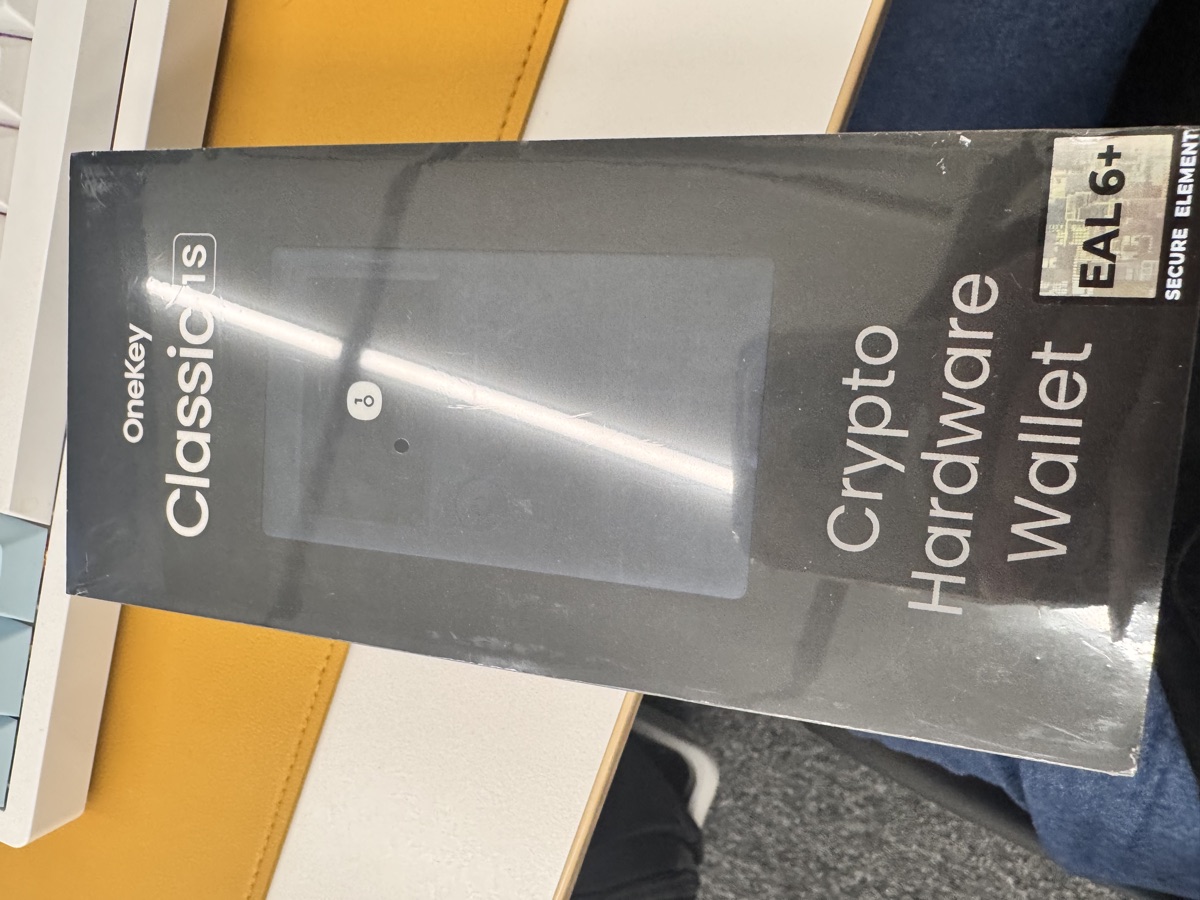
I spent the last two months testing both the OneKey Pro and Ledger Stax side-by-side. One costs $278 (with the 10% discount), the other retails for $400. The spec sheets look similar, but the security architecture and design philosophy are completely different. Here’s what actually matters.
Security Chips: EAL6+ vs EAL5+
The OneKey Pro uses four EAL6+ secure elements. Ledger Stax uses one EAL5+ chip. That’s not just a number difference—EAL6+ requires formal verification of the security design and is the same certification level used in government smart cards and military hardware.
OneKey’s quad-chip architecture means even if one chip is compromised, your private keys are still protected by the other three. Ledger’s single-chip design is a single point of failure. I’m not saying Ledger’s chip is weak, but when you’re storing six-figure portfolios, the engineering margin matters.
Both devices claim to be air-gapped, but OneKey Pro actually supports offline QR code signing for transactions. You can keep the device completely offline and still sign transactions by scanning QR codes with your phone. Ledger Stax requires Bluetooth or USB connection for every transaction.
Open Source vs Black Box
This is where things get uncomfortable for Ledger. OneKey’s firmware is fully open-source on GitHub. You can audit the code yourself, or rely on third-party security researchers who have already done it. I verified the fingerprint sensor implementation myself—it stores biometric templates in the secure element, not in flash memory.
Ledger’s firmware remains closed-source. They claim this prevents attackers from finding vulnerabilities, but that’s security through obscurity. The crypto community rejected that argument in 2023 when the Ledger Recover controversy broke out. If you don’t remember: Ledger added a firmware feature that could theoretically extract seed phrase shards and send them to third parties. They backtracked after backlash, but the fact that it was possible in the first place proved the firmware has capabilities users didn’t consent to.
OneKey can’t pull a Recover-style feature because the code is public. Any attempt to add seed extraction would be caught immediately in code review.
Hardware Comparison
| Feature | OneKey Pro | Ledger Stax |
|---|---|---|
| Price | $278 (with 10% discount) | $399 |
| Secure Element | 4x EAL6+ | 1x EAL5+ |
| Display | 3.5″ color touchscreen | 3.7″ E-Ink touchscreen |
| Biometric | Fingerprint sensor | None |
| Battery Life | 1-2 weeks (color display) | 2-3 months (E-Ink) |
| Air-Gap Signing | QR code support | No |
| Firmware | Open-source | Closed-source |
| Bluetooth | Yes (optional) | Yes |
| USB-C | Yes | Yes |
| Chains Supported | 100+ | 80+ |
The Stax has one clear win: E-Ink display battery life. If you only check your portfolio once a week, the Stax can go months without charging. I charge my OneKey Pro every 10 days or so with daily use. Not a dealbreaker, but worth noting.
The Stax’s E-Ink screen also looks gorgeous. It’s genuinely pleasant to read addresses on it. The OneKey Pro’s LCD is functional but not as easy on the eyes. If you’re doing multiple transaction verifications per day, the E-Ink advantage is real.
User Experience and Firmware
OneKey Pro’s interface is surprisingly polished for an open-source project. The fingerprint unlock works 95% of the time on the first try. The touchscreen is responsive. The companion app (also open-source) supports 30,000+ tokens and integrates with MetaMask, WalletConnect, and most DeFi protocols.
Ledger Stax has Ledger Live, which is more mature and supports more DeFi integrations out of the box. If you’re using Ledger’s ecosystem already, the Stax is a smoother upgrade path. But Ledger Live is also closed-source and has a history of privacy issues (it used to phone home with IP addresses tied to wallet balances until users complained).
I tested both devices with multi-chain workflows: Ethereum DeFi, Solana NFTs, Bitcoin UTXO management, and cross-chain bridges. Both handled everything fine. The OneKey Pro was slightly faster for Bluetooth signing, but the difference is maybe 2-3 seconds per transaction.
Who Should Buy Which?
Buy the OneKey Pro if:
– You care about open-source verifiability
– You want the highest security certification (EAL6+)
– You prefer fingerprint unlock over PIN-only
– You want air-gapped QR signing for cold storage
– You’re price-sensitive and want flagship features for under $300 (use the 10% discount link)
Buy the Ledger Stax if:
– You’re already deep in the Ledger ecosystem
– You prioritize E-Ink display and battery life
– You trust Ledger’s closed-source security model
– You don’t mind paying $400 for premium hardware
For most users, I recommend the OneKey Pro. The security specs are objectively better, the firmware is auditable, and it’s 30% cheaper. The only reason to choose Stax is if you really value that E-Ink display or you’re committed to Ledger’s ecosystem.
If you’re budget-constrained, consider the OneKey Classic 1S ($99, EAL6+, Bluetooth, 100+ chains)—it lacks the touchscreen and fingerprint sensor but has the same security foundation. There’s also the Classic 1S Pure ($79, USB-C only, no battery) for ultra-minimalist setups.
FAQ
Q: Can OneKey Pro be hacked if someone steals it?
No. The secure elements use anti-tamper technology—if someone tries to physically open the device, the chips self-destruct. The fingerprint sensor allows only 5 failed attempts before wiping the device. Even with physical access, an attacker can’t extract your private keys without your fingerprint or PIN.
Q: Does Ledger still have the Recover feature?
Ledger Recover is now opt-in and requires KYC through a third-party service. It’s disabled by default. However, the fact that the firmware can extract seed phrase shards means the capability exists in the codebase. This is impossible with OneKey’s open-source firmware because any such feature would be visible in the code.
Q: Which wallet supports more tokens?
OneKey Pro supports 100+ blockchains and 30,000+ tokens. Ledger Stax supports 80+ chains and around 5,000+ tokens natively, with more available through third-party integrations. Both handle all major assets, but OneKey has better long-tail token support.
Conclusion
The Ledger Stax is a well-built device with a beautiful E-Ink display, but it’s overpriced for what you get. A single EAL5+ chip, closed-source firmware, and the unresolved trust issues from the Recover controversy make it hard to justify the $400 price tag in 2026.
The OneKey Pro offers better security (4x EAL6+ chips), full open-source transparency, fingerprint biometrics, and air-gapped QR signing—all for $278 with the 10% discount. The E-Ink display on the Stax is nice, but not $4000 nice.
If you’re choosing your first hardware wallet or upgrading from an older device, the OneKey Pro is the better buy for most people. If you’re a Ledger loyalist who values E-Ink above all else, the Stax isn’t a bad device—it’s just not worth the premium.
🔐 Get 10% off OneKey — readers-only link
The link below auto-applies a 10% discount at checkout. Free worldwide shipping on orders over $4001.
Disclosure: This post contains affiliate links. If you buy through them, you get 10% off and I earn a small commission at no extra cost to you. I only recommend products I actually use.
Did you find this helpful?
Your support keeps this blog running and ad-free content coming.
☕ Buy me a coffeeMost Popular Posts
- Custom Metaclass in Python: 43% Faster Validation (12,955 views)
- yfinance Alternatives 2026: 7 Free APIs Compared (1,050 views)
- Python match-case: 7 Patterns That Beat if-elif Chains (982 views)
- YOLOv8 INT8 Quantization: 4x Faster on Jetson Orin (897 views)
- PaddleOCR vs EasyOCR vs Tesseract: Why PaddleOCR Is Slower (707 views)