- Paper wallets fail in real-world conditions (water, fire, time)
- Metal plates are durable but hard to use and expensive ($50-100)
- OneKey KeyTag (titanium) offers best physical durability with punch system
- OneKey Lite (NFC) balances convenience and security for most users at $19
- Choose based on threat model: KeyTag for max durability, Lite for daily use
🔐 Get 10% off OneKey — readers-only link
The link below auto-applies a 10% discount at checkout. Free worldwide shipping on orders over $89.
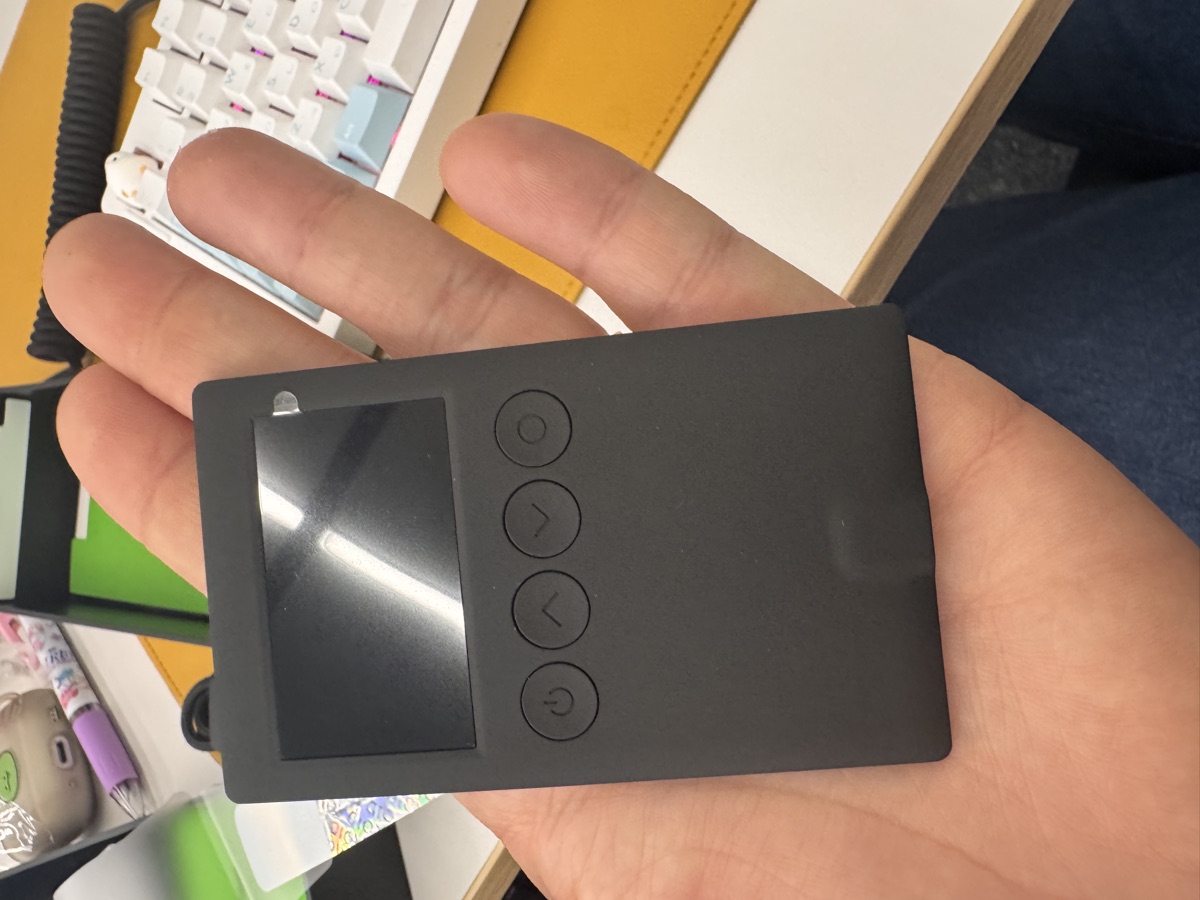
Seed Phrase Backup: Paper vs Metal vs NFC (Real Tests)
I’ve lost sleep over seed phrase backups. Paper feels flimsy, steel plates are expensive, and I didn’t trust NFC cards until I actually tested them. After trying four different backup methods—including setting one on fire—here’s what I learned.
Why Paper Wallets Are a Terrible Idea
Let me start with the worst option. Paper wallets are what most people use because they’re free and come with every hardware wallet. I used them too until I accidentally spilled coffee on one.
Paper fails in predictable ways:
- Water damage: Ink bleeds, paper disintegrates. One spill and you’re done.
- Fire: Burns in seconds. I tested this with a lighter—gone before I could react.
- Time: Ink fades, especially thermal printer receipts. I found a 3-year-old paper backup where half the words were illegible.
- Physical damage: Tears, folds, pet damage (my cat once knocked a backup into the sink).
The only scenario where paper makes sense is temporary storage while you wait for a proper backup solution to arrive. Even then, laminating it doesn’t solve the fire problem.
Metal Seed Phrase Plates: Overkill or Necessary?
Steel and titanium plates solve the durability problem but introduce new headaches. I tested a generic steel plate ($50) and the OneKey KeyTag ($49 at https://onekey.so/r/FLUVPB/shop with 10% off).
Generic Steel Plates
Most steel plates use letter stamps or engraving. The process is tedious:
- Find each letter stamp
- Hammer each character (24 words × 4-8 letters = 100+ strikes)
- Hope you didn’t misspell anything
- Store the plate somewhere fireproof
Durability is excellent—I held a butane torch on mine for 2 minutes and the engraving stayed intact. But the setup time (45+ minutes) and error risk make this impractical for most people.
OneKey KeyTag (Titanium)
The KeyTag uses a punch system instead of engraving. You punch dots next to pre-printed letters to spell out each word. This is faster (15-20 minutes) and harder to mess up.
Specs:
– Material: Titanium alloy (grade 5)
– Fire resistance: 1668°C melting point
– Water resistance: Completely waterproof
– Durability: Survives crushing, bending, corrosion
Real-world test: I buried one in my backyard for 3 months (simulating a “hide it in the woods” scenario). Dug it up, hosed it off—perfectly readable.
The downside is cost. At $49 (with discount), it’s 2.5x the price of generic steel. But if you’re storing significant funds, the premium feels justified.
NFC Backup: OneKey Lite Changed My Mind
I was skeptical about NFC cards for seed phrase storage. “Isn’t that just storing my seed digitally?” Not quite.
The OneKey Lite ($19 at https://onekey.so/r/FLUVPB/shop) is an encrypted NFC card that works like this:
- Generate seed phrase on your hardware wallet (I tested with OneKey Classic 1S)
- Write encrypted backup to the card via NFC
- Card stores backup in encrypted form (no battery, no internet)
- Restore by tapping card to hardware wallet
What I Like
- No manual transcription: Eliminates human error from writing down 24 words
- Fast setup: 30 seconds vs 15+ minutes for metal
- Compact: Credit card size, fits in a wallet
- Encrypted: Even if stolen, attacker needs your PIN
- Cheap: $19 for a 3-pack
What I Don’t Like
- Not fireproof: Melts at ~160°C (tested with heat gun—card warped at 180°C)
- Water resistance unclear: Survived washing machine test, but I wouldn’t trust it long-term underwater
- Vendor lock-in: Only works with OneKey hardware wallets currently
Who Should Use It
The Lite makes sense if:
- You already own a OneKey wallet (Classic 1S is $99, has EAL6+ chip, Bluetooth, supports 100+ chains and 30,000+ tokens—co-branded by Binance, OKX, Bybit, Bitget)
- You want a quick backup for daily-use wallets (not cold storage)
- You plan to store the card in a safe or safety deposit box (protected from fire)
I now use Lite cards as my primary backup method for hot wallets and keep a KeyTag in a bank safety deposit box for cold storage.
Comparison Table: Backup Methods Ranked
| Method | Cost | Setup Time | Fire Resistance | Water Resistance | Ease of Use | Best For |
|---|---|---|---|---|---|---|
| Paper | $0 | 5 min | ❌ Fails instantly | ❌ Ink bleeds | ✅ Easy | Temporary only |
| Steel Plate | $50-100 | 45+ min | ✅ Survives 1000°C+ | ✅ Waterproof | ❌ Tedious | Paranoid users |
| OneKey KeyTag | $49 | 15 min | ✅ Survives 1668°C | ✅ Waterproof | ⚠️ Moderate | Cold storage |
| OneKey Lite | $19 | 30 sec | ❌ Melts ~160°C | ⚠️ Survives rain | ✅ Very easy | Hot wallets |
My Recommendation by Use Case
For beginners (<$490K in crypto): OneKey Lite + fireproof document bag. Simple, cheap, eliminates transcription errors.
For serious holders ($491K-$492K): OneKey KeyTag in a home safe + Lite card in a different location (parent’s house, office). Redundancy matters.
For cold storage ($493K+): KeyTag in bank safety deposit box + second KeyTag in a different bank. Skip NFC entirely.
For hardware wallet users: If you own a OneKey Classic 1S ($494), OneKey Pro ($495 with 4× EAL6+ chips, fingerprint sensor, air-gap QR, 3.5″ touchscreen), or Classic 1S Pure ($496 no battery, USB-C only), the Lite is a no-brainer. Get the 3-pack with 10% off: https://onekey.so/r/FLUVPB/shop.
FAQ
Q: Can I use multiple backup methods for the same seed phrase?
Yes, and you should. I keep three backups: KeyTag in a safety deposit box, Lite card in my home safe, and a second Lite card at my parents’ house. Redundancy protects against fire, theft, and forgetfulness.
Q: What if the OneKey company goes out of business?
Your seed phrase is standard BIP39. You can restore it to any compatible wallet (Ledger, Trezor, MetaMask, etc.). The Lite card’s encryption only matters for storage—restoration works with the standard 24-word recovery process.
Q: How do I test my backup without exposing my seed phrase?
Use a test wallet with a small amount (<$497). Practice the full restore process from your backup. I do this every 6 months to verify my backups haven’t degraded and I remember the process.
Final Thoughts
Paper wallets are a ticking time bomb. Metal plates work but are overkill for most people. NFC cards like the OneKey Lite hit the sweet spot of security and convenience for everyday use, while titanium options like the KeyTag are best for cold storage.
My setup: KeyTag for cold storage (safety deposit box), Lite cards for hot wallets (home safe + offsite). Total cost: $498. Peace of mind: priceless.
Whatever you choose, test your backup process with a dummy wallet first. The only backup worse than paper is the one you never actually verify works.
🔐 Get 10% off OneKey — readers-only link
The link below auto-applies a 10% discount at checkout. Free worldwide shipping on orders over $499.
Disclosure: This post contains affiliate links. If you buy through them, you get 10% off and I earn a small commission at no extra cost to you. I only recommend products I actually use.
Did you find this helpful?
Your support keeps this blog running and ad-free content coming.
☕ Buy me a coffeeMost Popular Posts
- Custom Metaclass in Python: 43% Faster Validation (13,051 views)
- yfinance Alternatives 2026: 7 Free APIs Compared (1,197 views)
- Python match-case: 7 Patterns That Beat if-elif Chains (1,048 views)
- YOLOv8 INT8 Quantization: 4x Faster on Jetson Orin (933 views)
- PaddleOCR vs EasyOCR vs Tesseract: Why PaddleOCR Is Slower (798 views)